
The Inventory Management module in FTS Accounting is designed to thoroughly address challenges in goods management, helping businesses accurately track stock inflows, outflows, and balances across multiple dimensions, minimize losses, and optimize inventory levels. All processes are automated and seamlessly connected with the Purchasing, Sales, and Accounting modules, creating a unified, closed-loop, and transparent system.
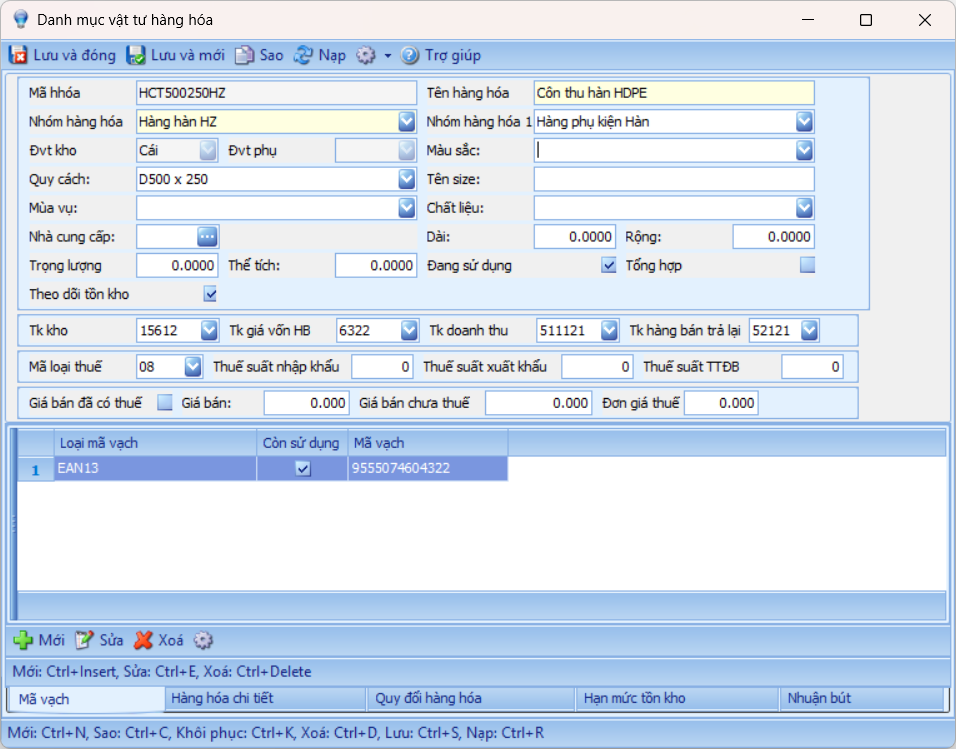
1. Manage Products by Multiple Attributes
- Detailed product management: item code, product group, barcode, size, color, specifications.
- Support multiple units of measure for each item.
- Manage inventory by batch, serial number, and expiry date to control short-lifespan items.
- Manage combo products consisting of multiple individual items.
2. Set and Alert Stock Levels
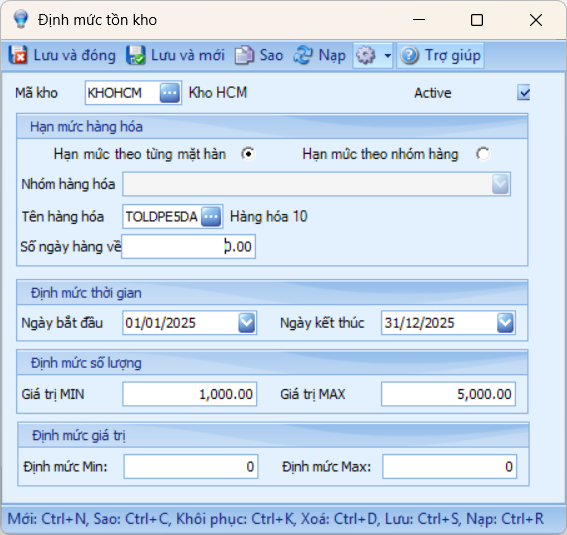
- Define maximum and minimum inventory levels for each item and warehouse.
- Alert when inventory exceeds the maximum or falls below the minimum.
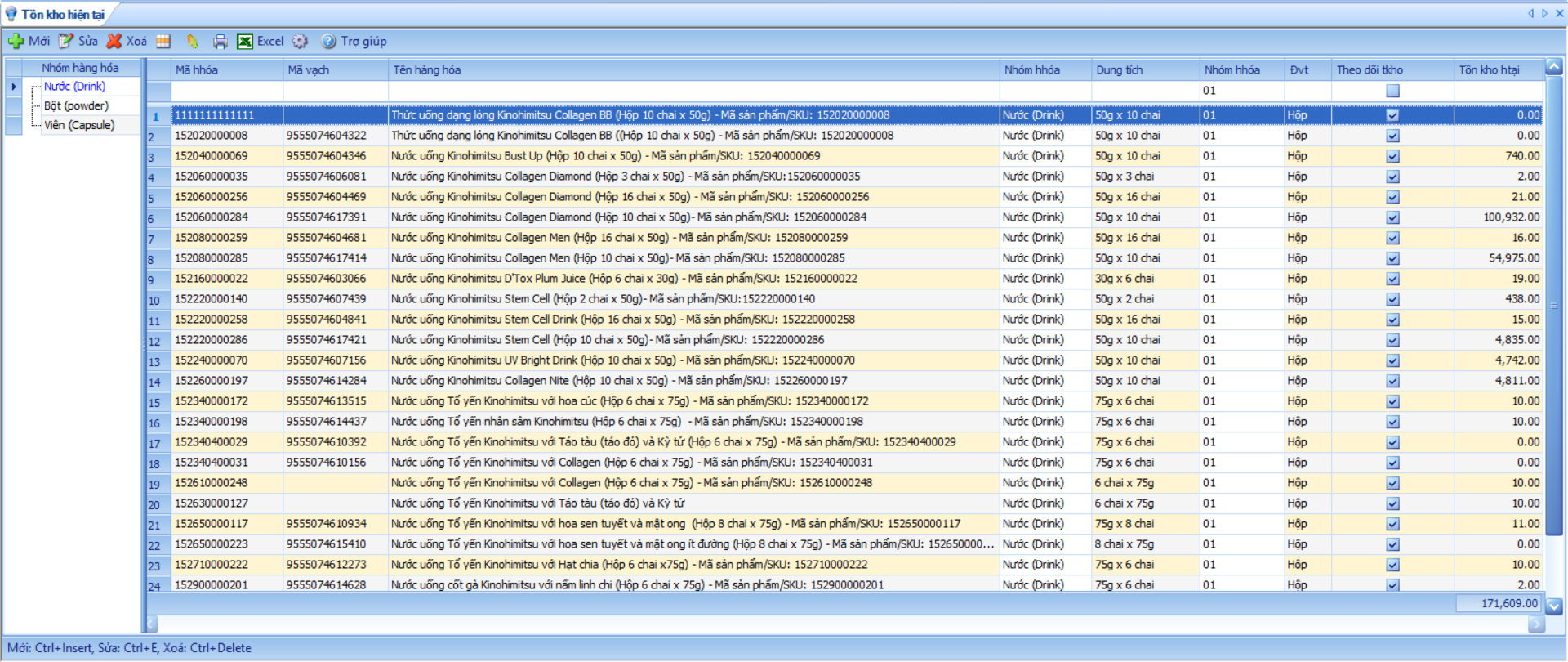
- Provide quick stock lookup by warehouse, item, or batch to support timely inbound/outbound planning.
3. Manage Stock In – Out – Balance
Fully support all warehouse operations:
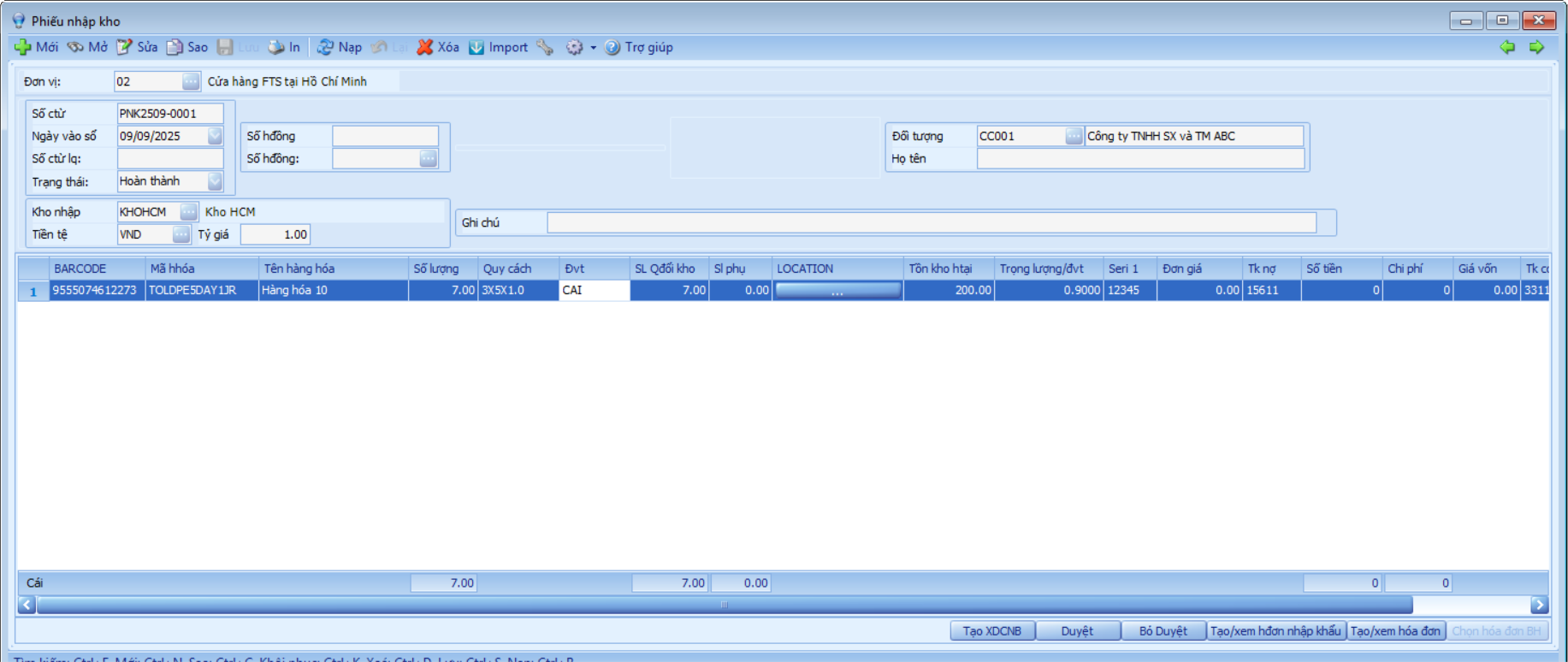
- Goods receipt from purchases, returns, or production.
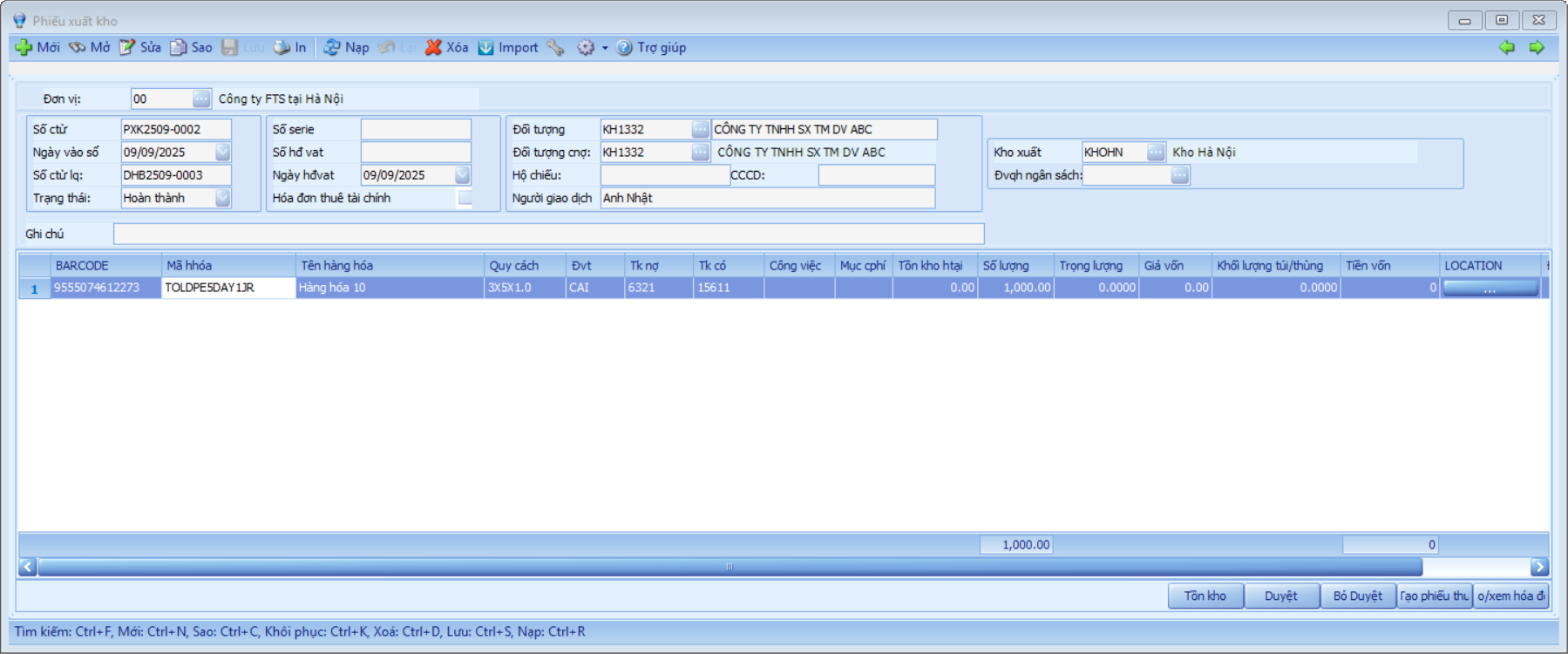
- Goods issue for sales, transfers, production materials, returns, adjustments, or inter-warehouse transfers.
- Automatically update stock levels upon document creation and enable instant inventory lookup.
- Track barcodes, serial numbers, expiry dates, LOT numbers during stock transactions.
- Link data with Purchasing/Sales modules for timely inventory updates.
4. Costing, Stocktaking, and Inventory Adjustments
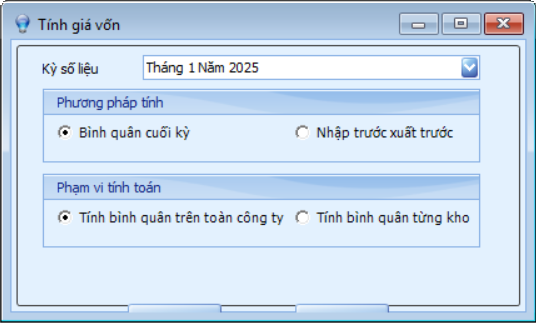
- Calculate inventory costs using multiple methods: Average, FIFO, Specific Identification, etc.
- Stocktaking functions record actual values, quickly compute discrepancies, and generate adjustment entries automatically.
- Analyze costs by item, product group, or batch to measure efficiency in inventory usage.
5. Internal Transfers Management
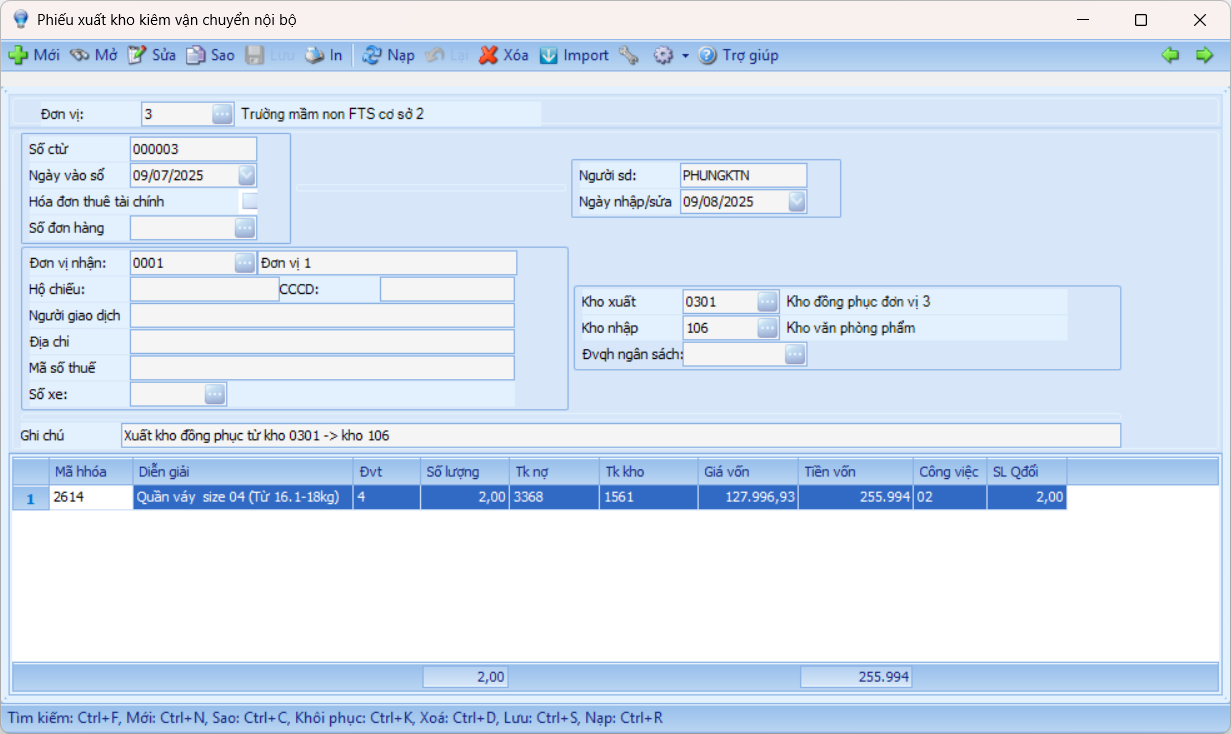
- Support transfers between warehouses and branches (parent-subsidiary company model).
- Track transfer status: pending, in transit, received.
- Automatically create a receipt document in the receiving unit when the sending unit issues a transfer.
6. Barcode-Based Warehouse Management
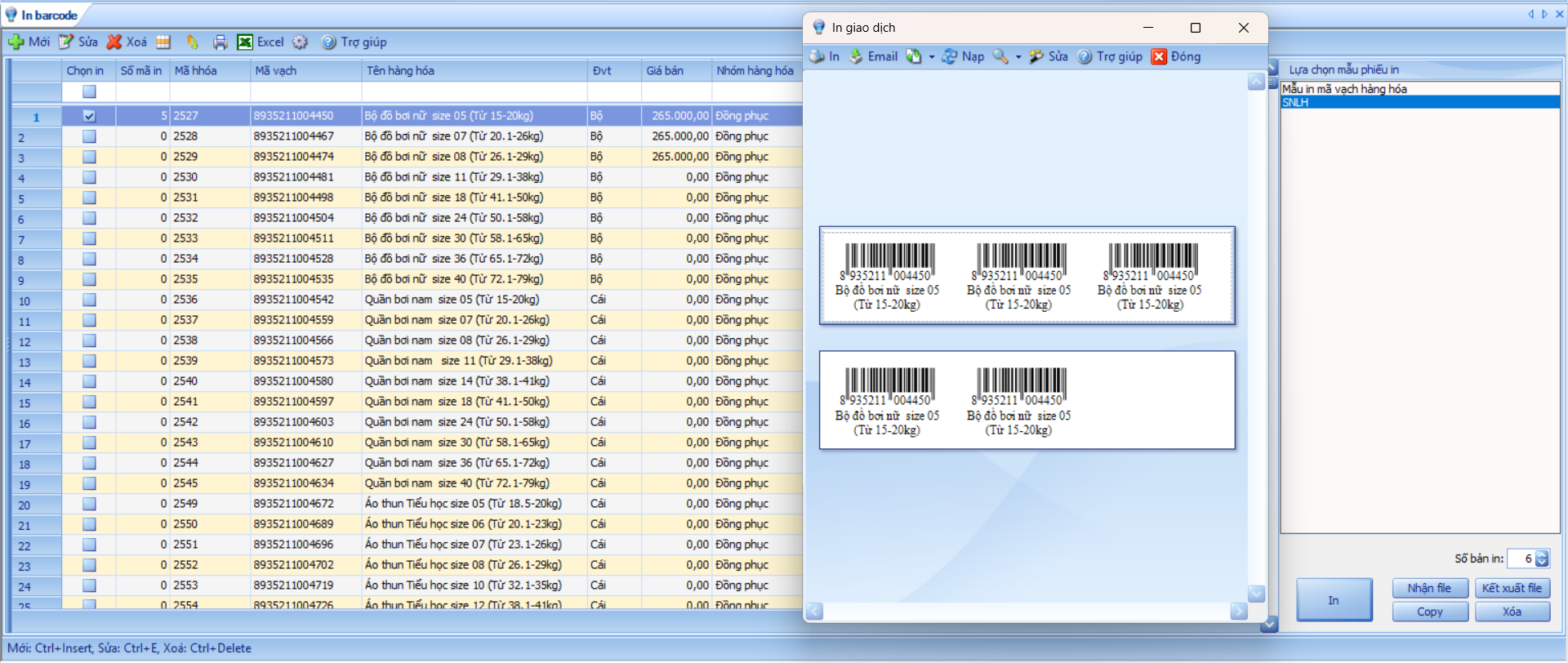
- Manage barcodes for each product type according to EAN or QR Code (2D) standards.
- Allow one product code to have multiple barcodes (e.g., by color, size, production batch).
- Generate and print barcodes directly from the software.
Product Variants Management
- Manage products with multiple variants such as clothing with different sizes and colors.
- Classify products by multiple levels and attributes (e.g., type – group – subgroup – product line).
- Quickly search by code, name, abbreviation, partial keywords, or specific attributes.
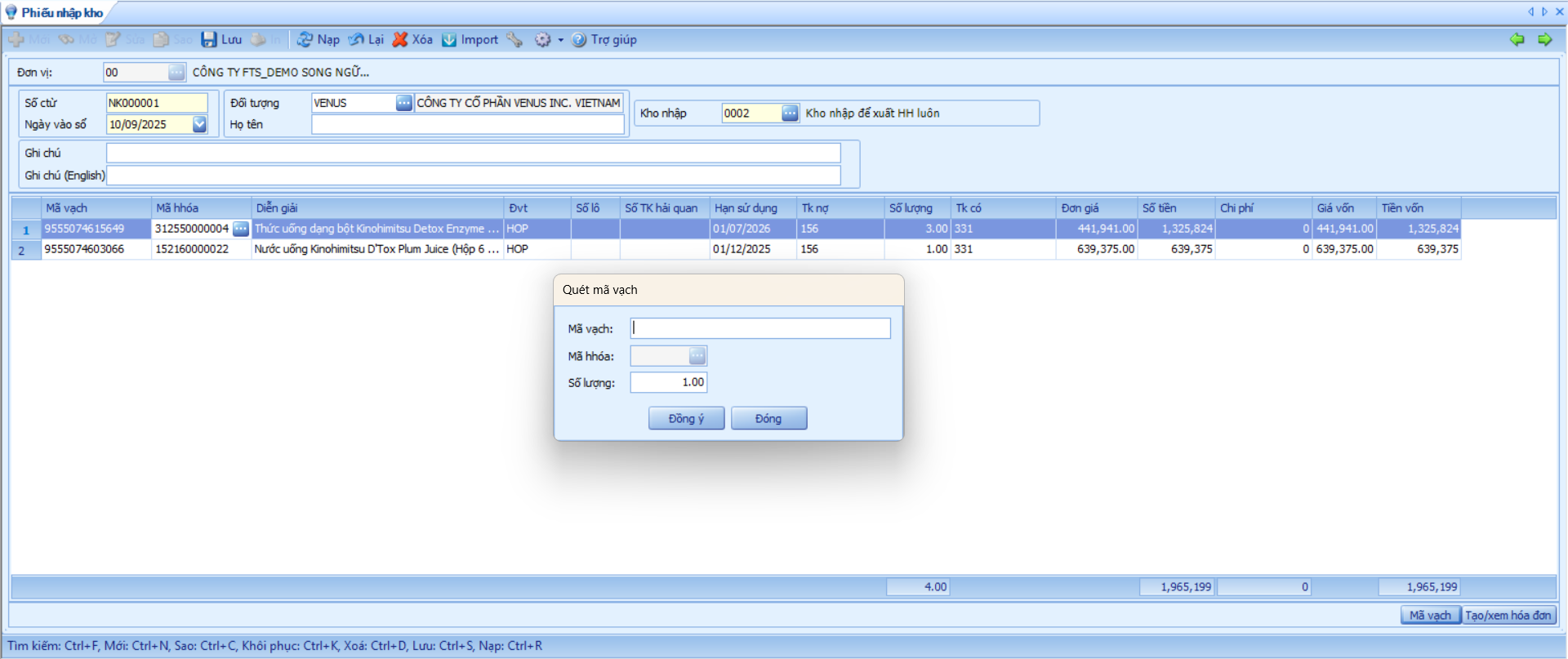
Integrate barcode scanners for operations.
- Supports warehouse operations such as stock in, stock out, and inventory counting using 1D or 2D barcode scanners.
- Improves transaction processing speed and minimizes errors in manual inventory counting.
- Compatible with widely used barcode devices.
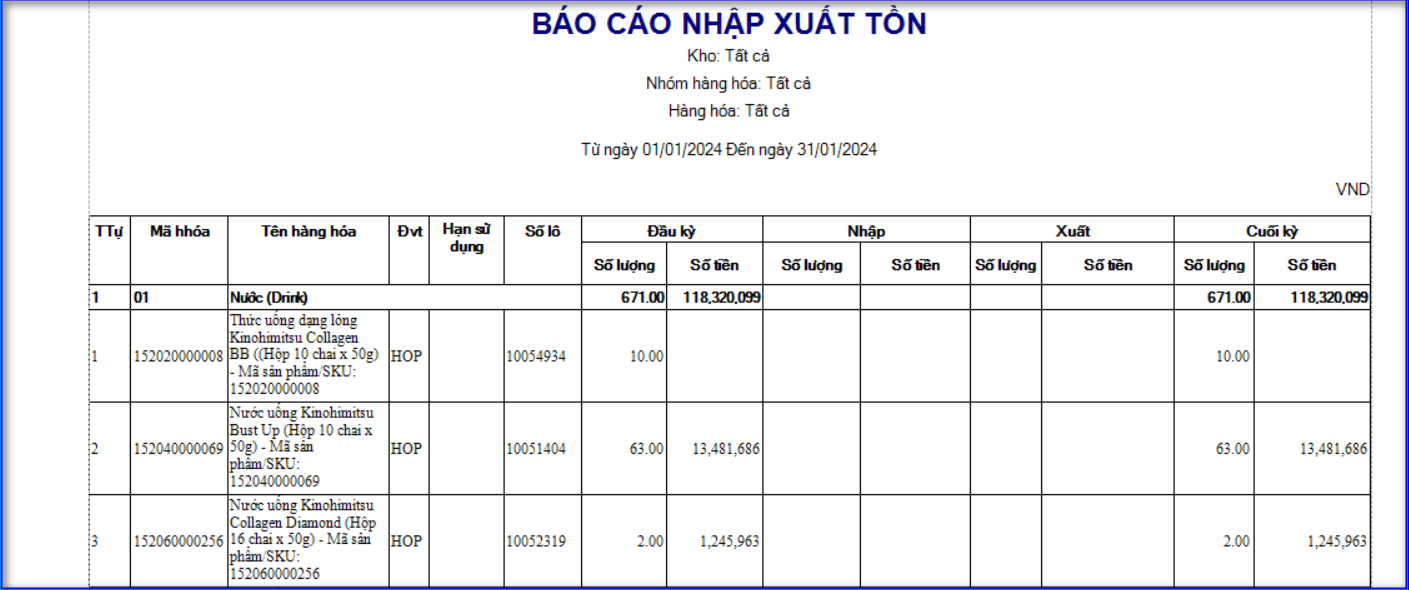
7. Multi-Dimensional and Flexible Warehouse Reports
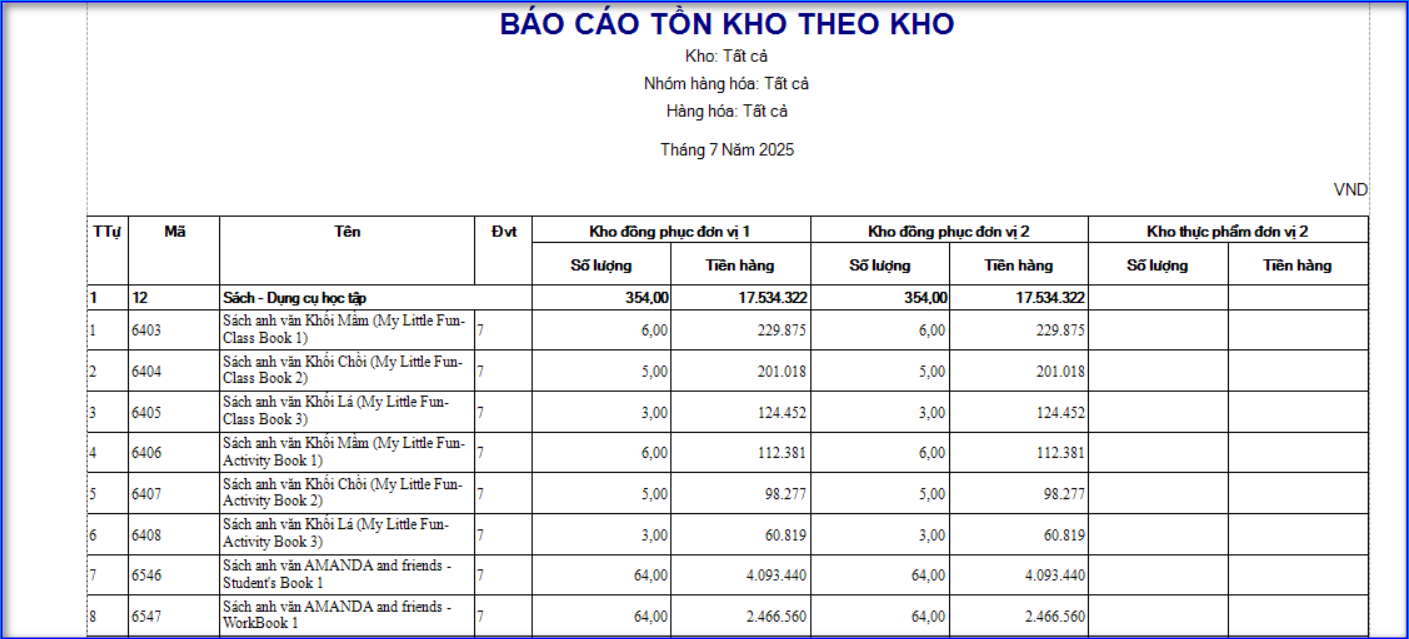
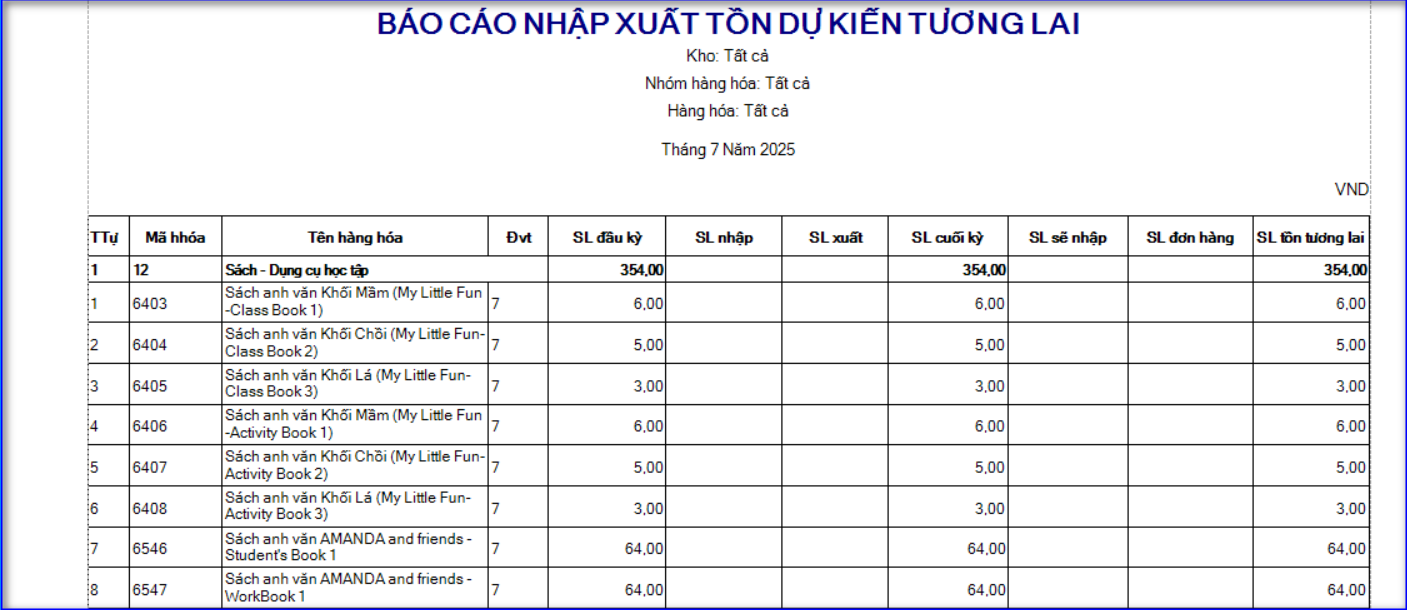
- Detailed inventory reports for inflows, outflows, and balances by item, group, warehouse, and time period.
- Reports on stock receipt, issue, opening and closing balances.
The Inventory Management module in FTS Accounting is not just a transaction recording tool; it is a comprehensive inventory control system that enables businesses to:
- Proactively manage material flows.
- Minimize losses and excess stock.
- Optimize inventory turnover and storage costs.
- Improve warehouse and accounting operational efficiency.