The VAT and E-Invoice Management module in FTS Accounting helps businesses automate the entire process of issuing e-invoices and preparing tax declaration data in compliance with regulations. It minimizes errors, optimizes processing time, and ensures full legal compliance.
E-Invoice Management (FTS E-Invoice is fully integrated into FTS Accounting software)
See more details about the FTS E-Invoice solution here!
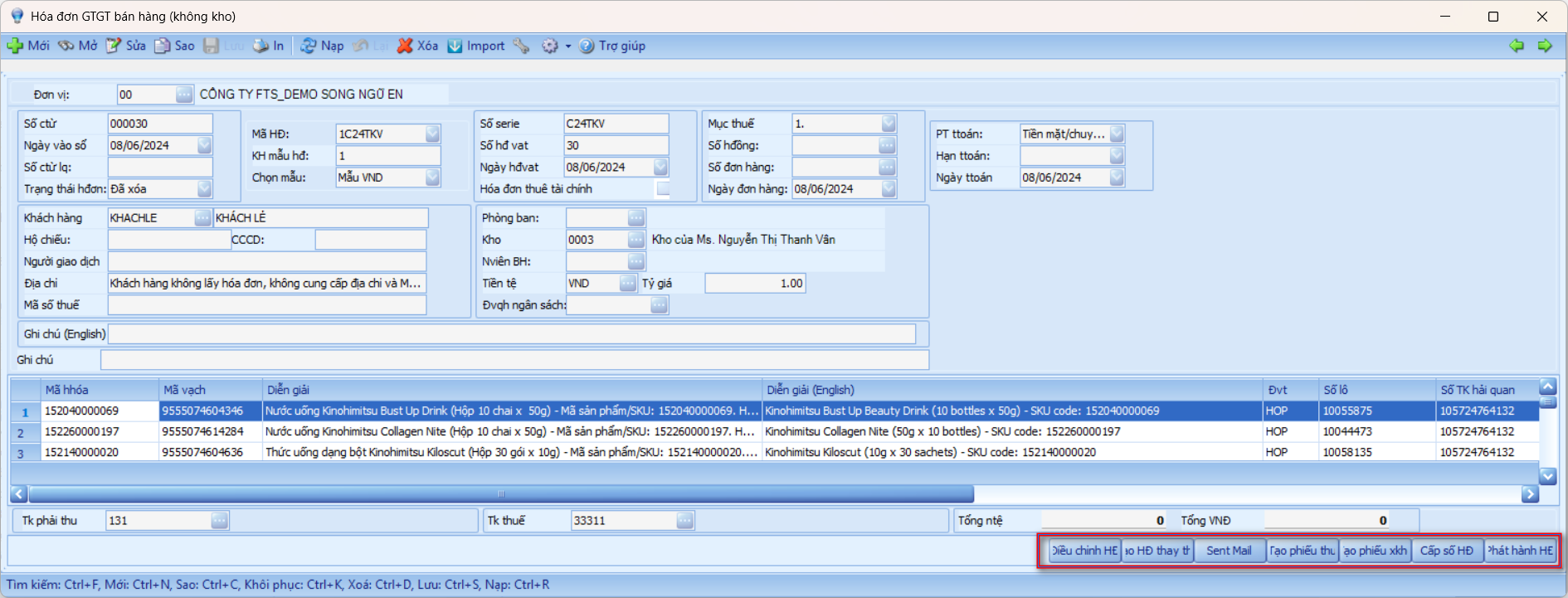
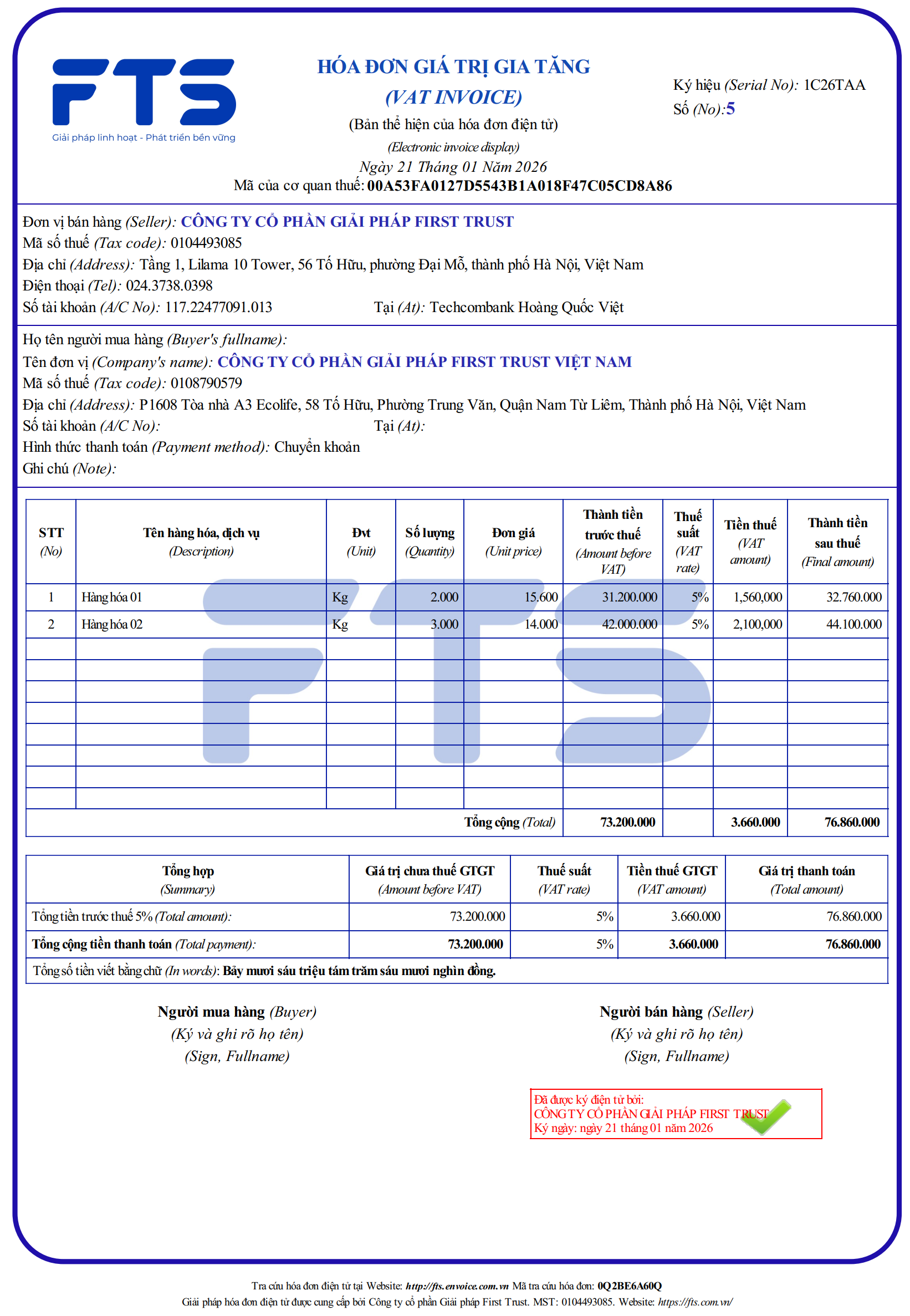
1. Issue invoices directly from accounting documents
- Integrate FTS E-Invoice to issue e-invoices directly from sales documents or invoices within the Sales module without transferring data to another system.
- Automatically assign invoice numbers, issue, store, and simultaneously record corresponding accounting entries.
- Transmit invoices to the Tax Authority’s system in full compliance with regulations.
2. Xử lý các nghiệp vụ sai sót hóa đơn:
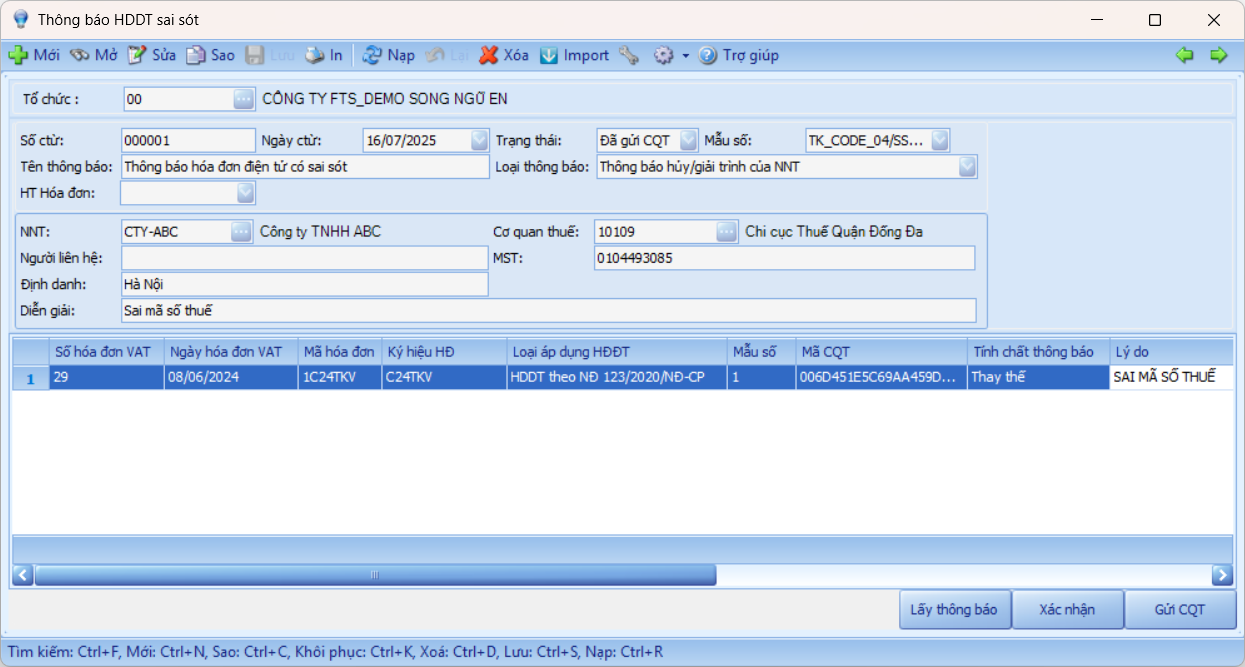
- Process operations such as information correction, replacement, and adjustment of invoices, and issue error notifications easily on the software.
- Search invoices by multiple criteria: invoice number, customer, issue date, etc., allowing quick lookups for inspection or audit purposes.
VAT Declaration
1. Automatically record VAT when transactions occur
- Automatically record input VAT for purchase transactions and output VAT for sales transactions.
- Pre-declare the applicable tax rate for each item and automatically calculate VAT for purchase/sale transactions.
- Automatically classify transactions as taxable, non-taxable, or subject to special tax rates to ensure accurate declaration in accordance with regulations.
2. Supplement tax declaration directly on documents
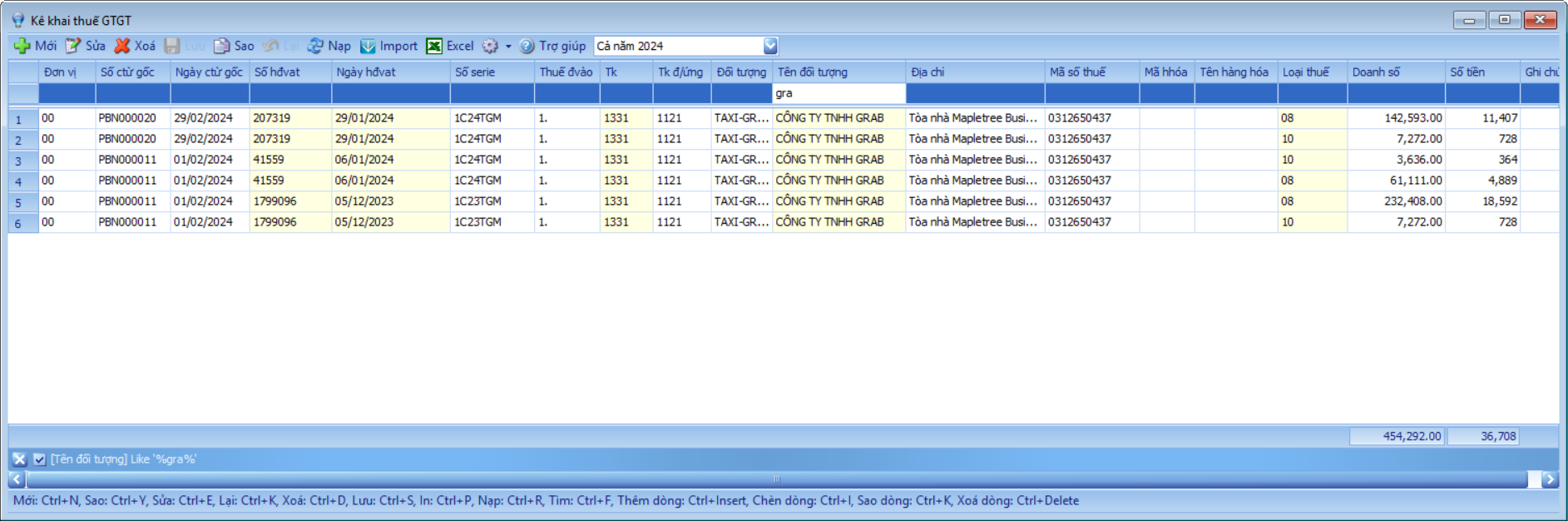
- Allow additional tax declarations directly on payment or receipt documents involving taxable expenses (such as transportation, services, etc.).
- Support tax adjustments in case of detected errors, ensuring that data is always updated and accurate.
- Automatically generate adjusting journal entries in the accounting system to maintain data consistency.
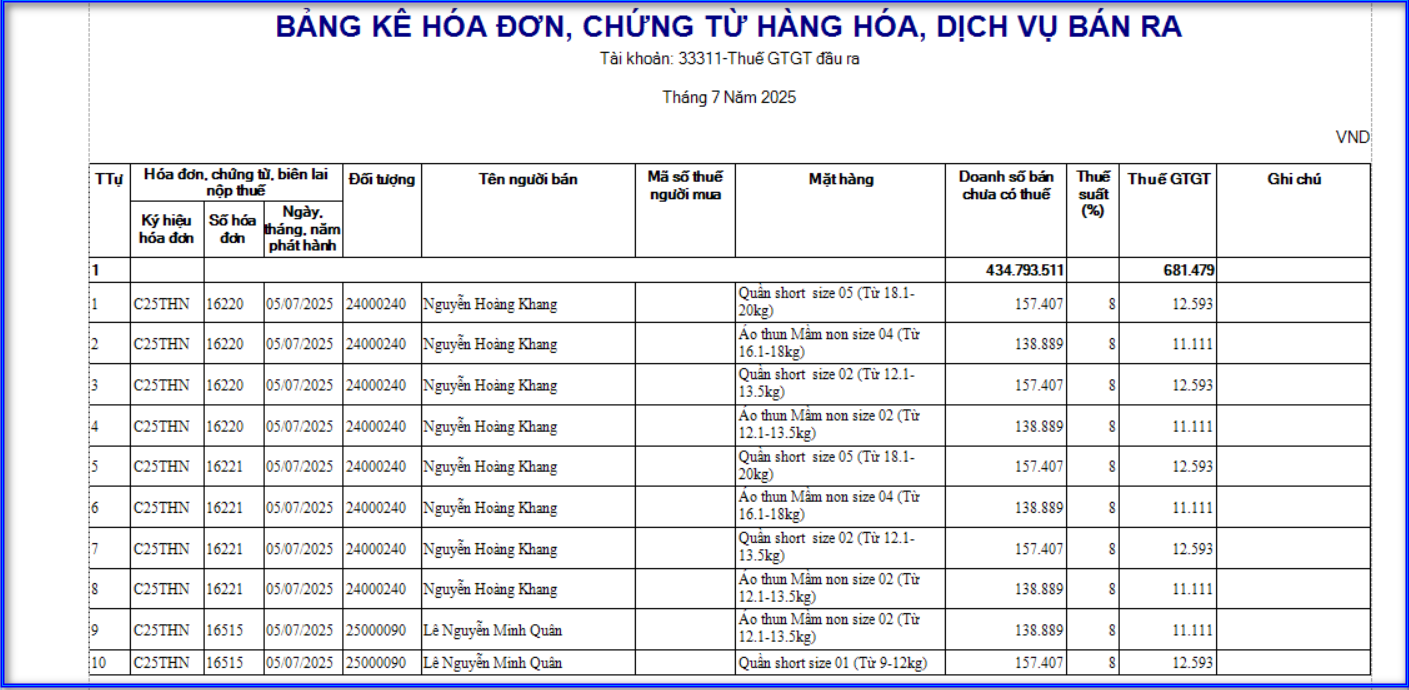
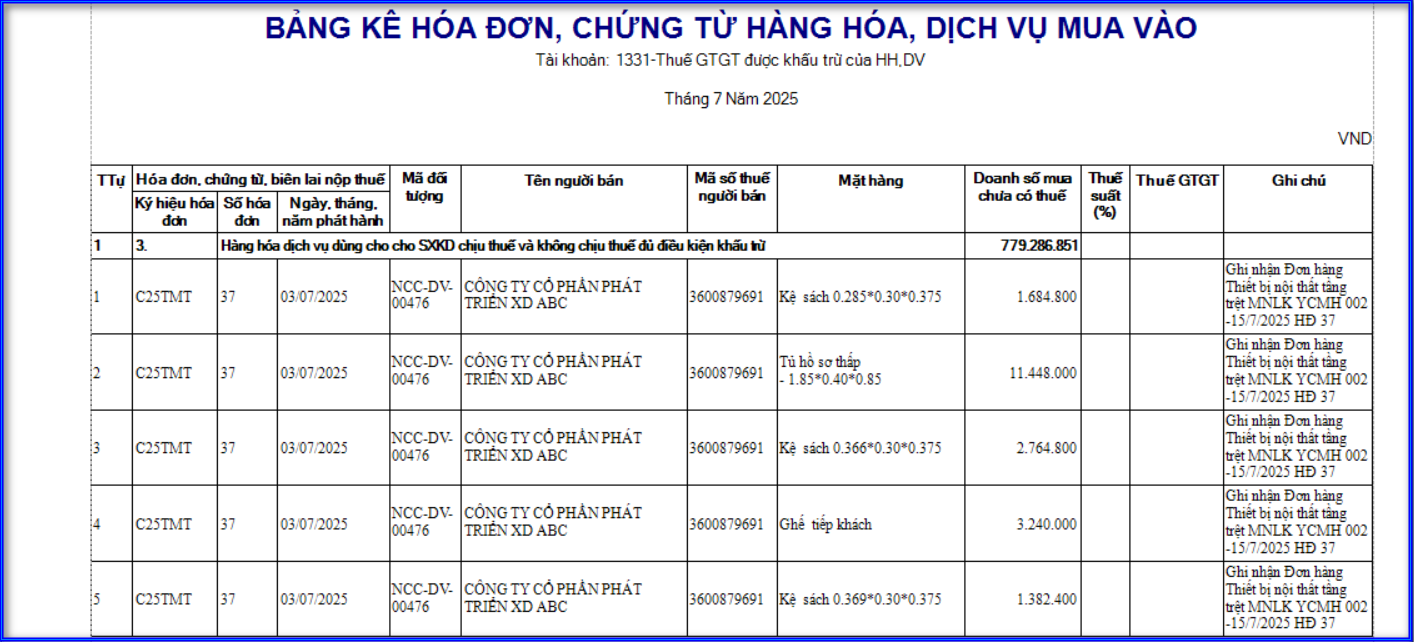
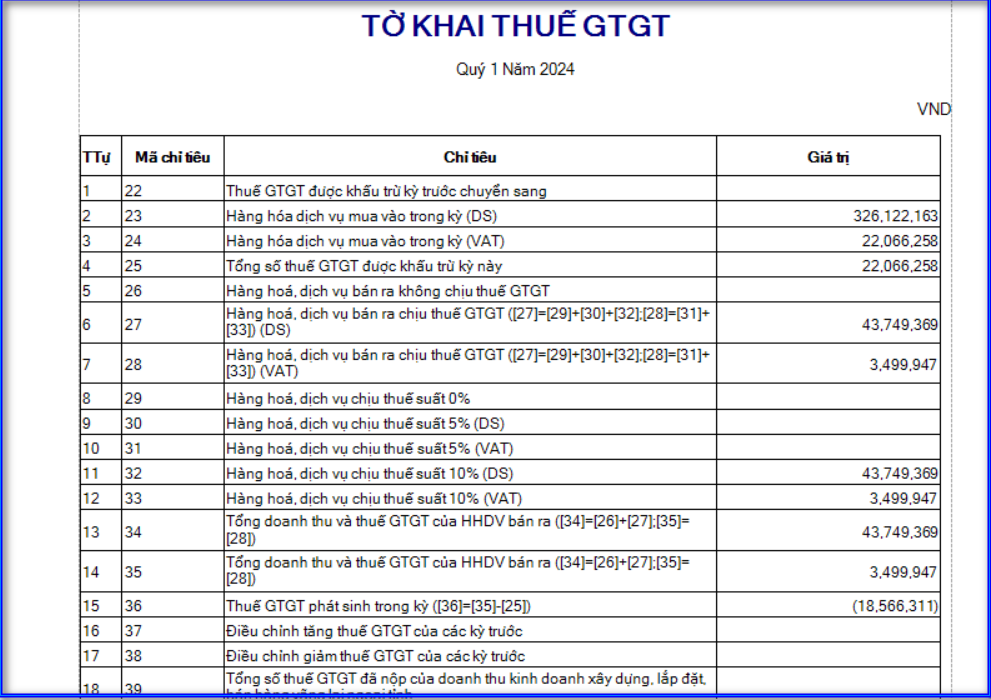
3. Automatically generate VAT summary lists and tax returns
- Automatically compile and prepare VAT purchase and sales summary lists, including full details such as invoice number, supplier, pre-tax amount, and tax rate.
- Support generating VAT returns in the official format required by the Tax Authority (Form 01/GTGT, etc.).
- Integrate and transfer VAT return data to the HTKK system of the Tax Authority.
- Allow exporting reports in multiple formats: PDF, Word, Excel—for convenient storage and tax submission.