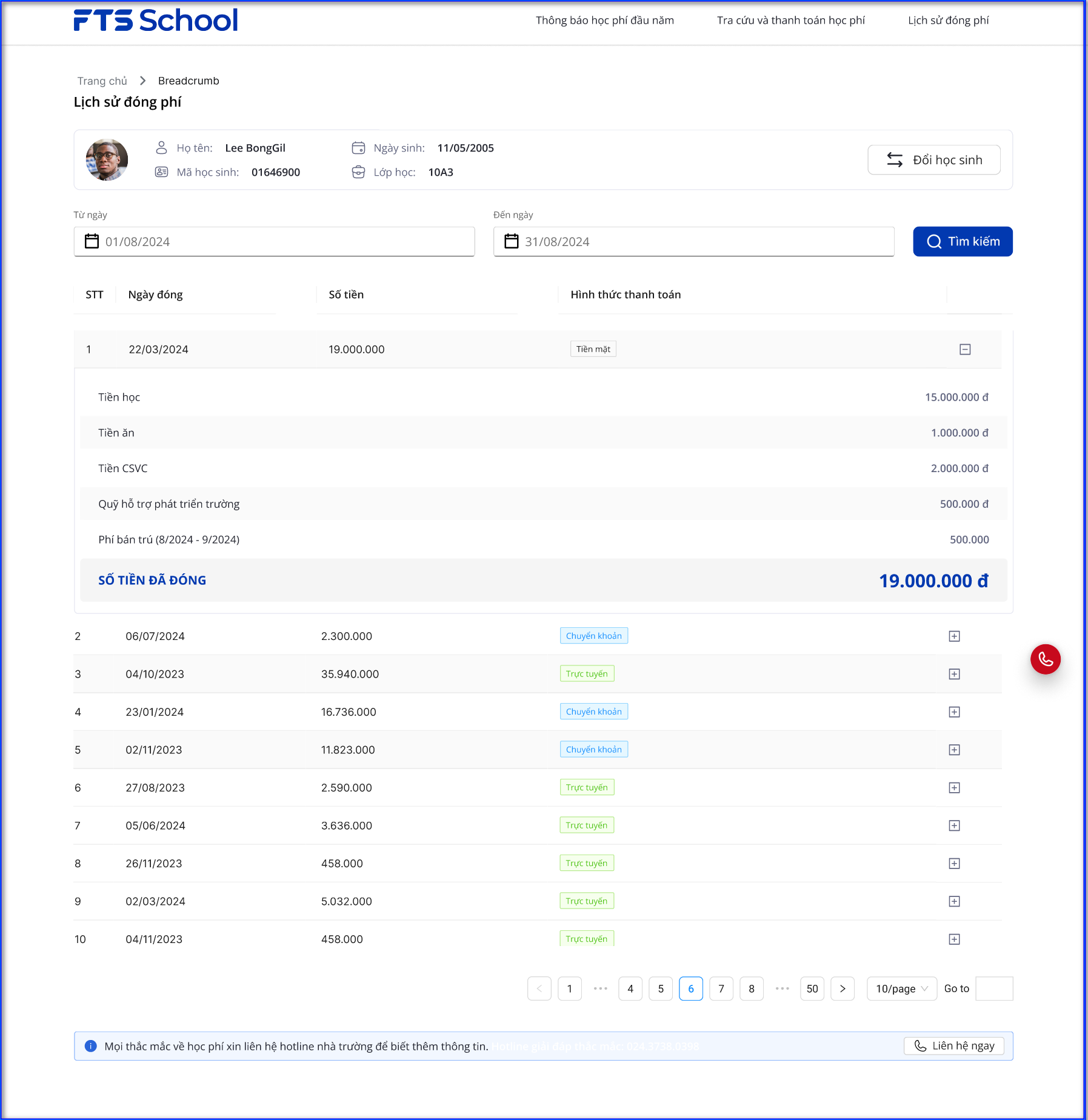
The system allows parents to actively check tuition fees, make online payments, and track their payment history. This helps reduce manual workload in notification, collection, and reconciliation processes—ensuring transparency for parents, convenience in payment and lookup, and synchronization with the accounting system to minimize errors and enhance financial management efficiency.
Parents are provided with login accounts to access the software via WebApp (using a web browser on computer, tablet, or mobile phone).
1. View annual tuition notifications – Clear and detailed
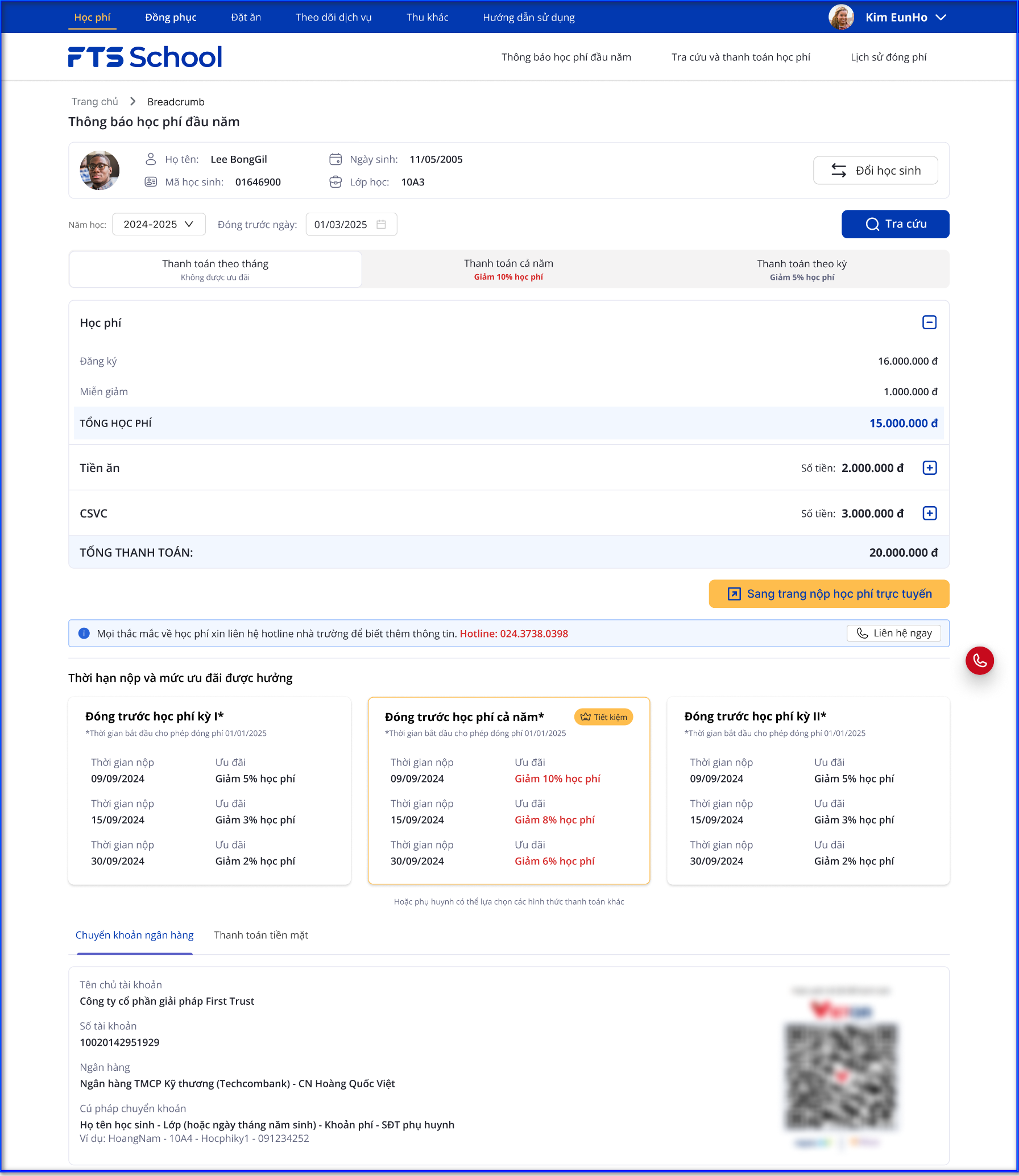
The system displays the annual tuition notification, providing detailed information on all payable fees, outstanding balances, exemptions, and the total amount due by month, term, or year. This helps parents clearly understand their financial obligations at the beginning of the school year.
Updated early payment discount and promotion policies are also shown.
2. View current outstanding tuition and make online payments
- Allows parents to easily check the amount to be paid, ensuring transparency and accuracy.
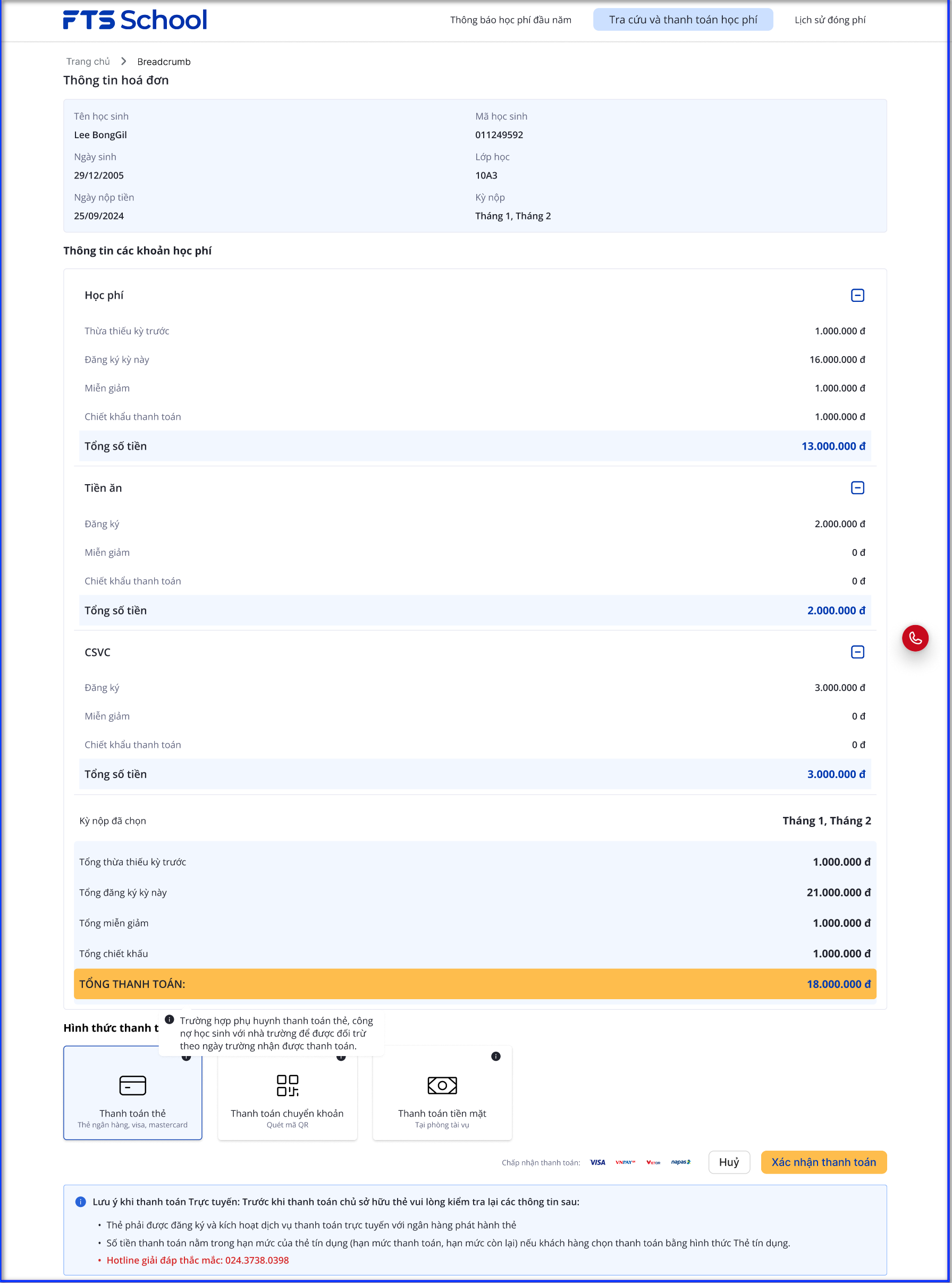
- Select Tuition Periods and Fee Items
- Parents can flexibly select tuition periods and fee items to pay, according to personal financial needs.
- The system automatically calculates the payable amount, including any eligible discounts, allowing parents to make informed payment decisions.
- Bank integration:
- Connected with the school’s partner bank, the system supports online payment through multiple modern methods:
- Bank transfer
- QR code payment
- Visa/MasterCard payment
- Installment payment
- Bank transfer
- Connected with the school’s partner bank, the system supports online payment through multiple modern methods:
3. View tuition payment history
- Transparent transaction data helps parents track and reconcile when necessary.