The Enrollment module in the FTS School management software is designed to digitize the enrollment process, helping schools optimize time and improve management efficiency. From the first step of creating the Consultation Registration List, tracking the history of enrollment consultations, registration for admission or entrance exams, to the official student enrollment – all processes are handled seamlessly, transparently, and automatically within a single system.
The Student Information Management module helps schools store detailed student records, assign classes by academic year, and track class transfers or school transfers, ensuring data is traceable and accurately updated.
Enrollment Management
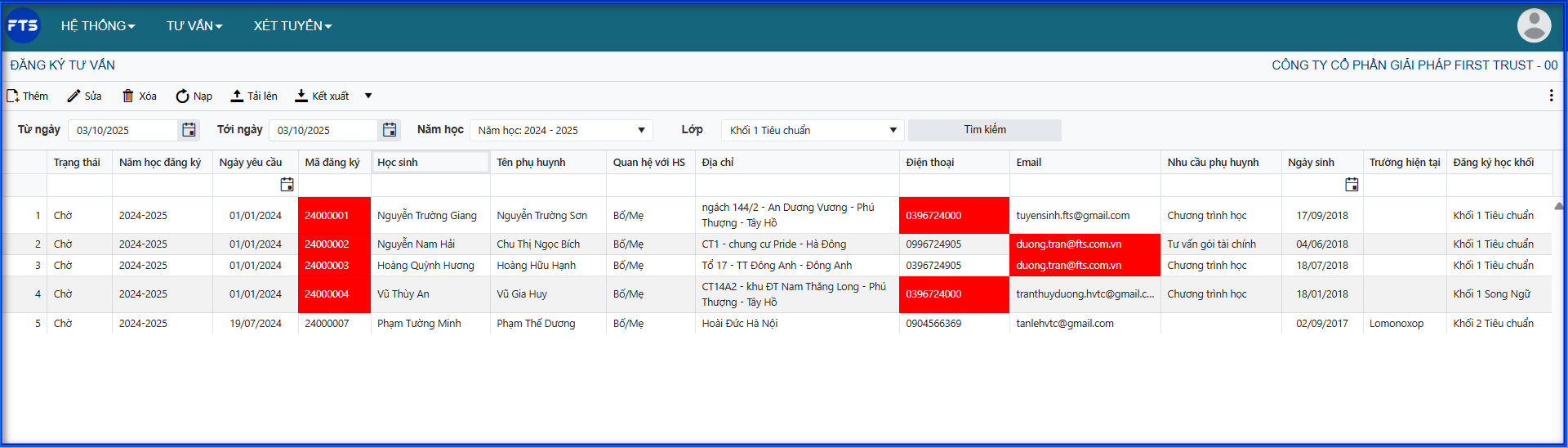
1. Manage Enrollment Registration List – Track Enrollment Consultation History
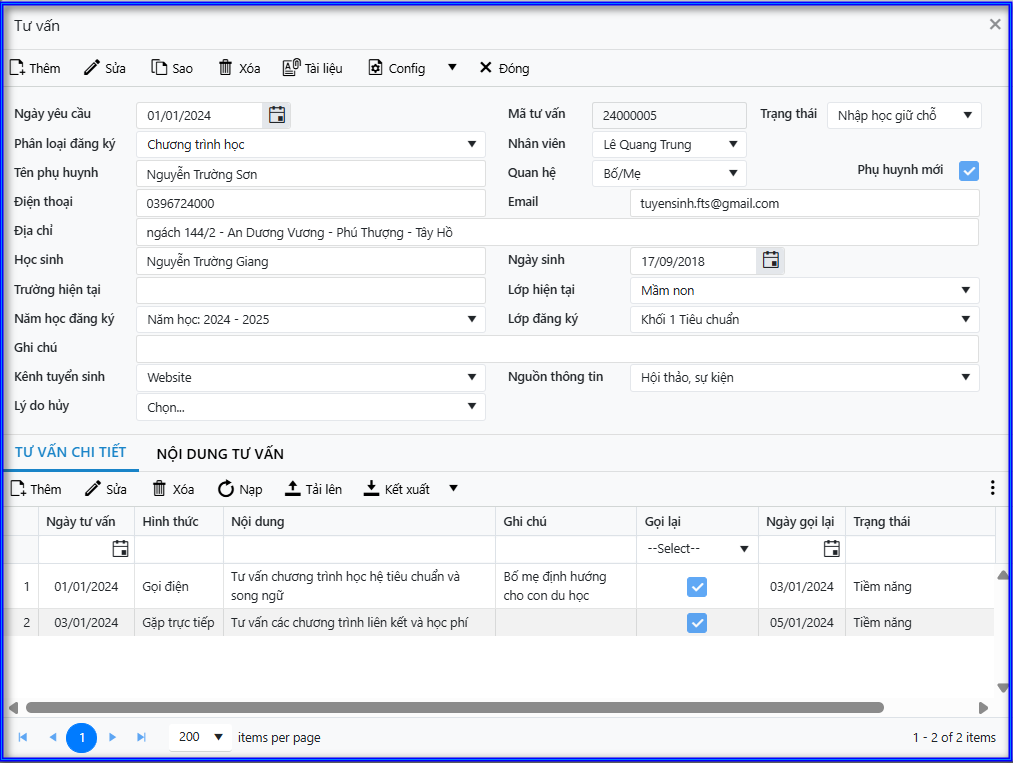
- Update complete personal information of students registering for enrollment: student information, parent information, and the grade level for enrollment.
- Parents can enter data directly into the software registration form, or FTS can integrate with the school’s enrollment websites to receive registration data.
- Record the consultation history for each student, including date and time, responsible staff, and consultation content.
- Support classification of records and filtering of lists by enrollment status, access channel (marketing), enrollment source, etc., enhancing consultation effectiveness and conversion.
2. Create Entrance Check List – Transparent Fee Collection
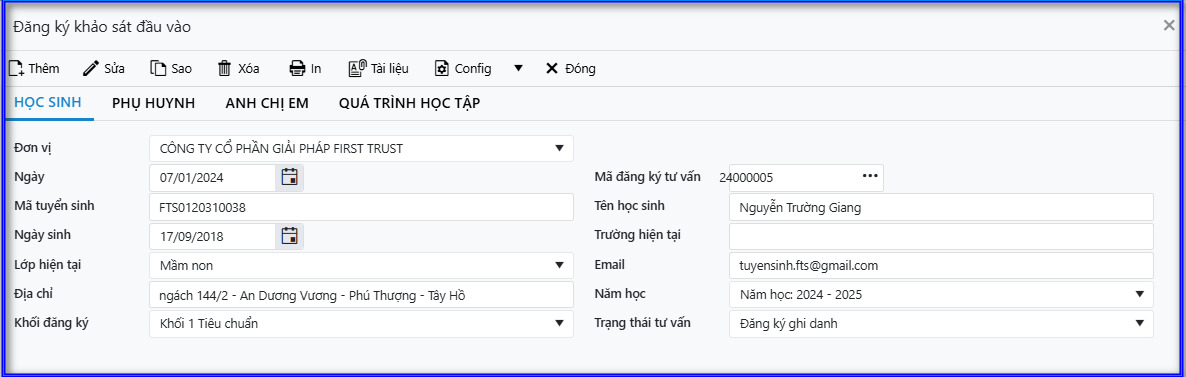
- Manage the list of students participating in entrance exams or competency tests.
- Integrate with the accounting software to collect entrance exam fees and track students who have paid, ensuring eligibility for the exam.

3. Organize Admissions – Declare Exam Details, Formats, Exam Rooms
- The system allows flexible setup of multiple admission rounds within the academic year.
- Configure exam subjects, exam formats (multiple-choice, essay, interview, etc.) for each subject.
- Assign exam rooms for students who have paid the exam fee.
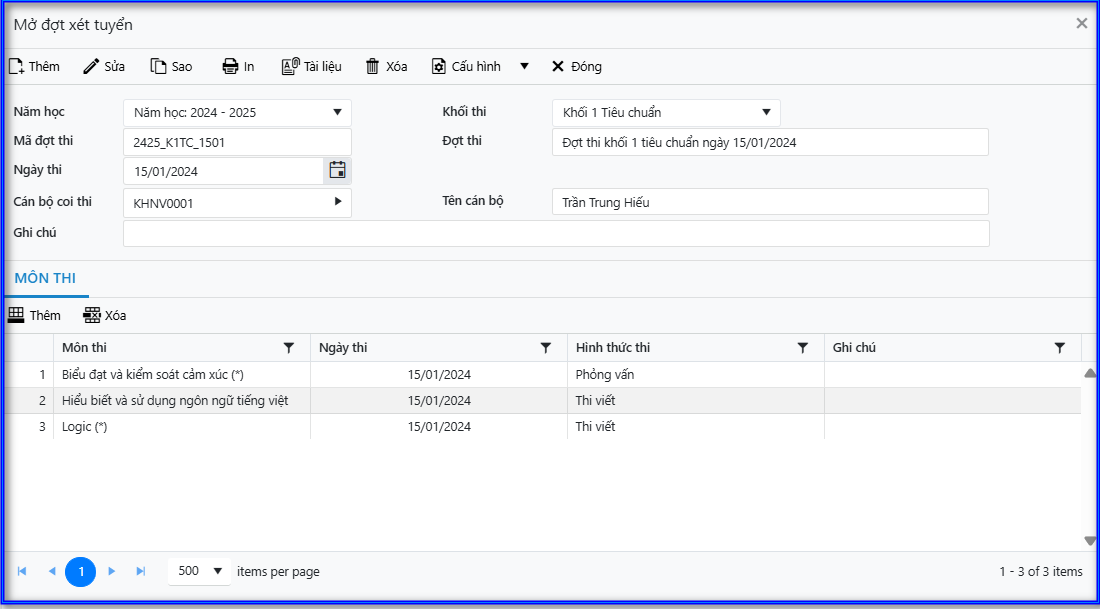
4. Enter Exam Scores – Automatically Send Result Notifications
- Input students’ exam results by subject and automatically calculate each student’s admission scores.
- Classify students as admitted or not admitted.
- Automatically send result notifications via email to parents, reducing response time and professionalizing the enrollment process.
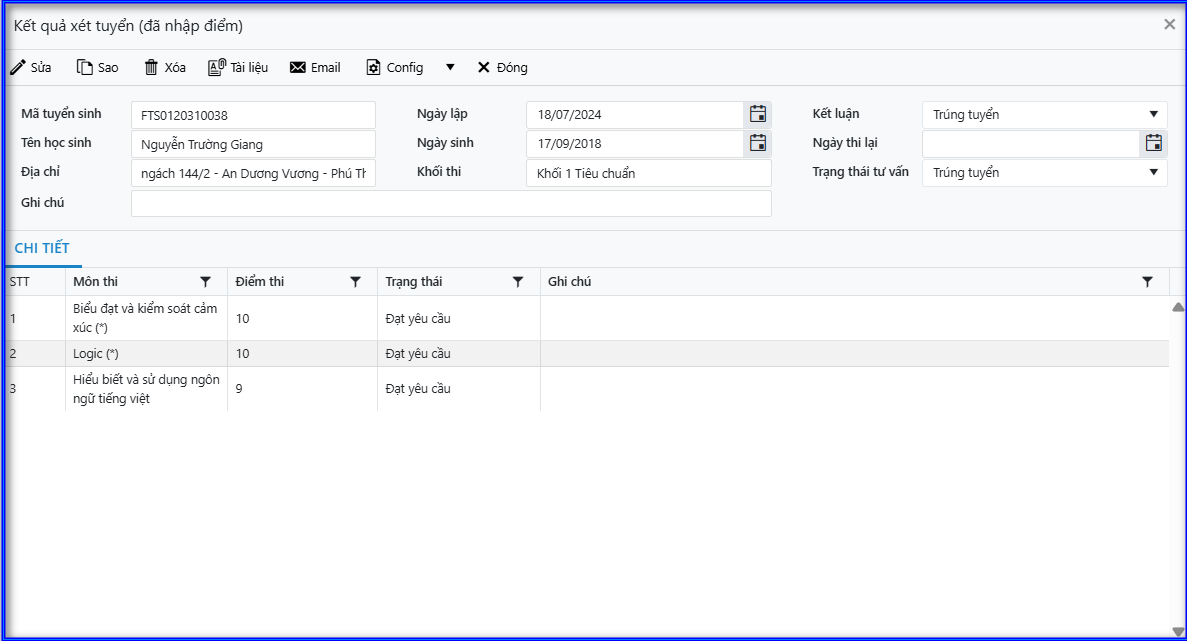
5. Register Enrollment – Collect Fees – Issue Student Codes
- Process student enrollment registration and hold a place, with optional additional personal information entry if needed.
- Automatically generate student codes from enrollment codes and synchronize information with related modules: Student Management – Tuition Fees – Accounting.
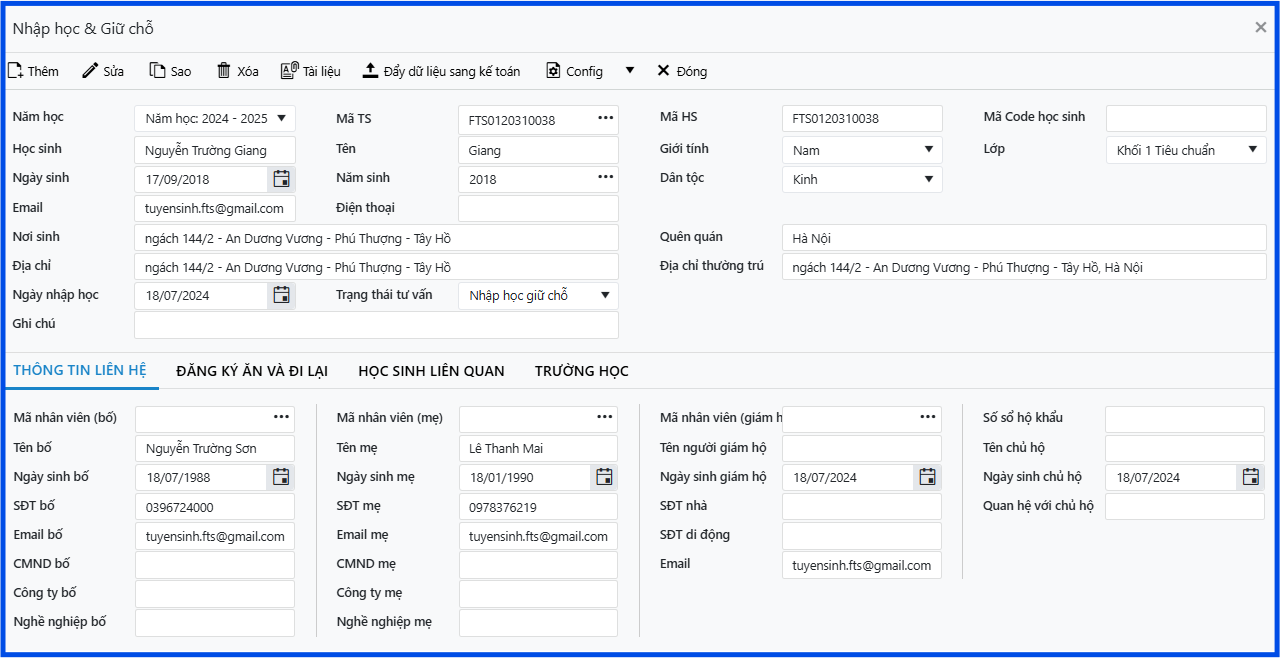
Student Information Management
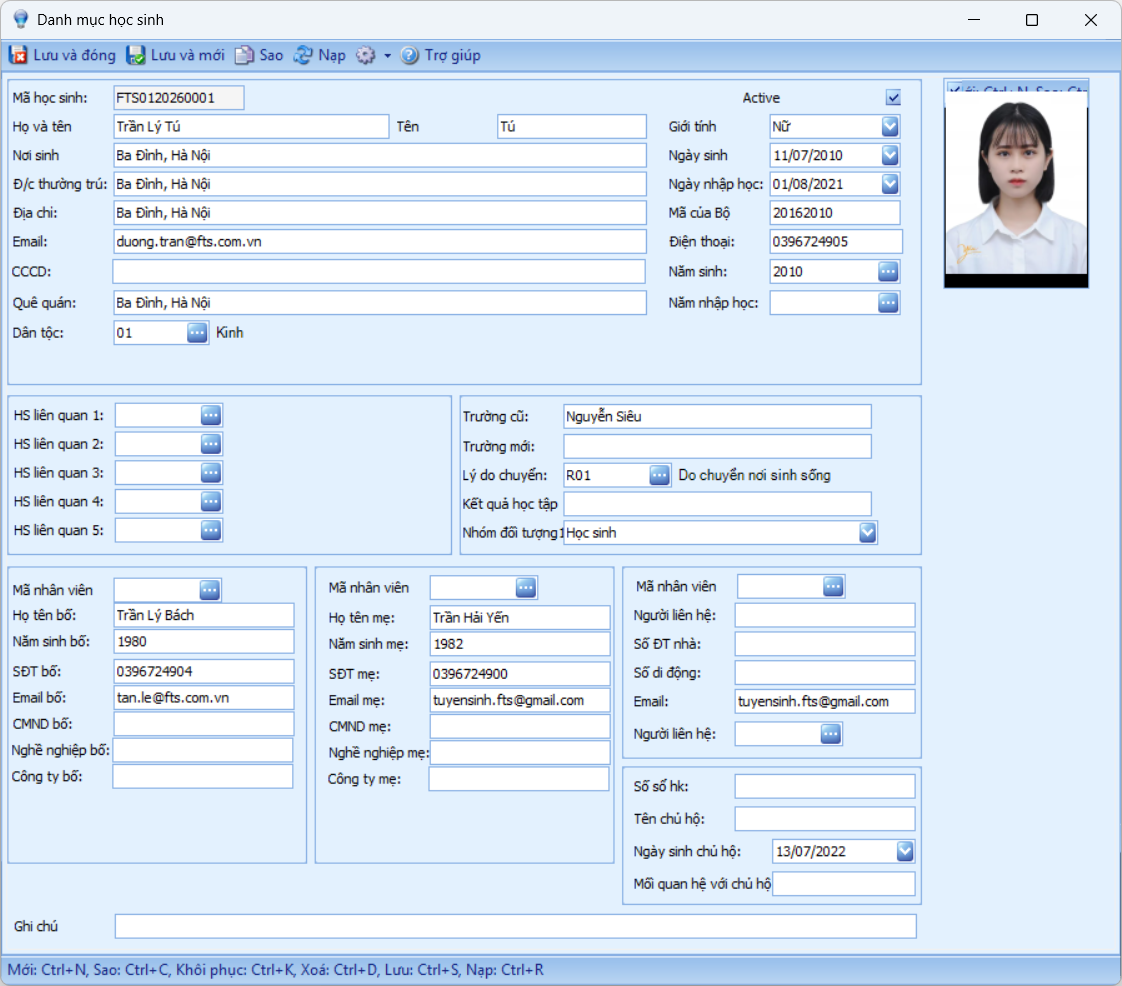
1. Manage Detailed Records of Each Student
The stored information includes:
- Internal student code
- Student identification code according to the Ministry of Education and Training (MOET)
- Address
- Place of birth
- Permanent residence
- Gender
- Date of birth
- Enrollment date
- Phone number
- Father’s information
- Mother’s information
- Emergency contact information
- Previous school name
- New school name
- Related student codes (siblings attending the same schoo
- Employee code (if a parent is a staff member or teacher at the school)
2. Class Setup
- Define the academic year with start and end dates
- List of grades/levels
- List of classes for each academic year
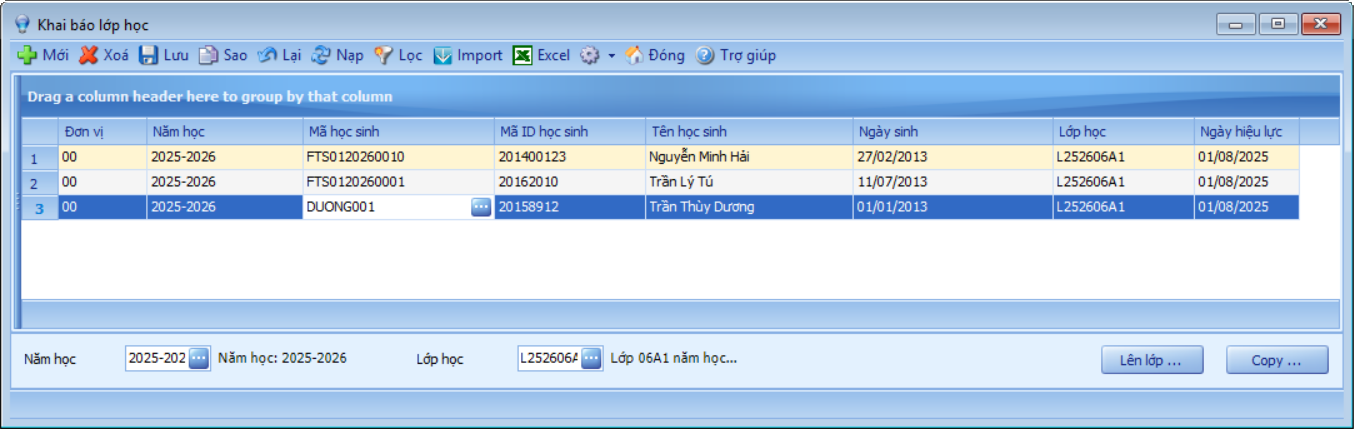
- Assign students to classes for each year