
FTS supports detailed menu management and ingredient standards, automatically calculating the kitchen’s material requirements based on meal registrations. The system computes meal costs and supports multiple cafeteria models—by dish or by meal set. Parents and students can easily place or cancel meal orders online. Attendance and meal check-in are recorded through devices, ensuring transparency and flexibility based on each school’s model. Notifications are automatically sent to parents—all processes are automated and centrally managed on one unified platform.
1. Menu and Ingredient Standard Management
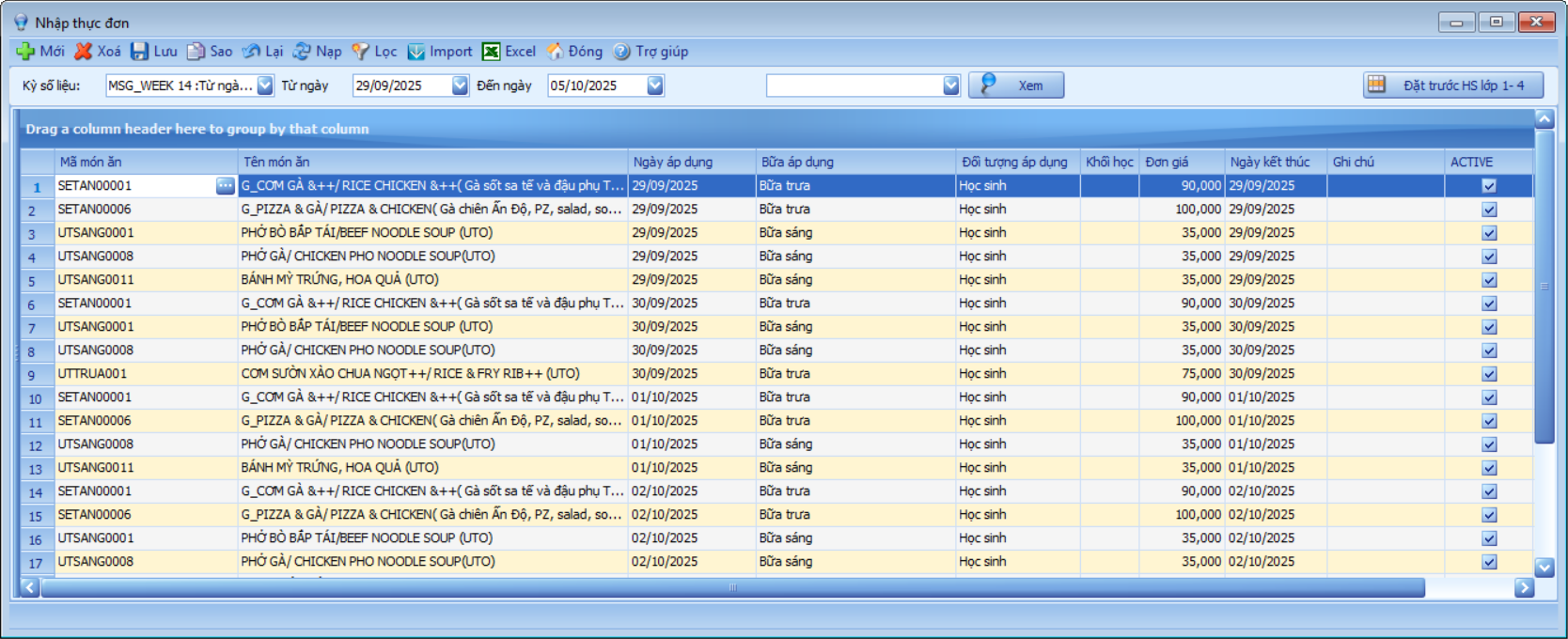
- Set up detailed menus by meal (breakfast/lunch/dinner), by day, week, or month.
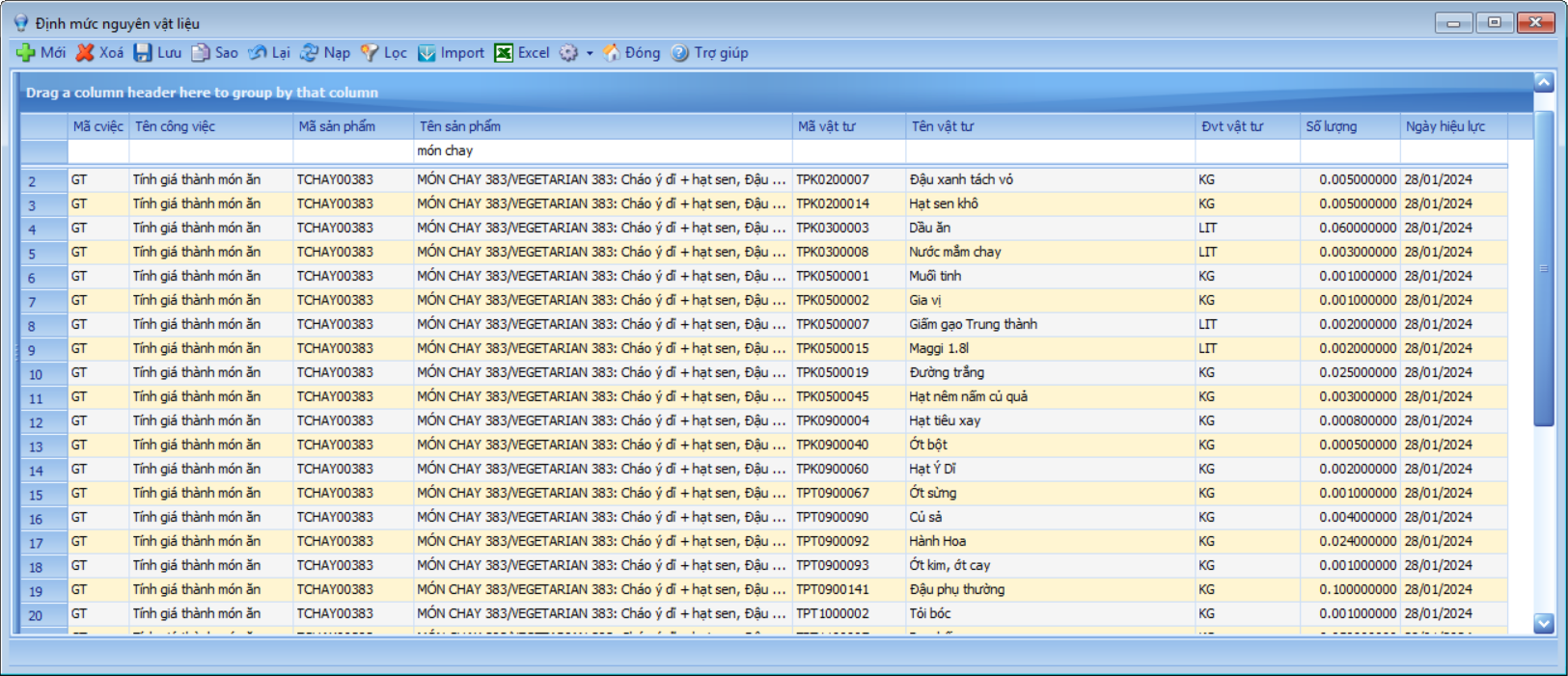
- Define ingredient standards (rice, vegetables, meat, spices, etc.) for each dish.
- The system stores menu history to allow easy reuse and flexible adjustments according to season, nutrition, and budget.
- Declare unit prices for dishes at specific periods.
2. Meal Registration for Students and Teachers
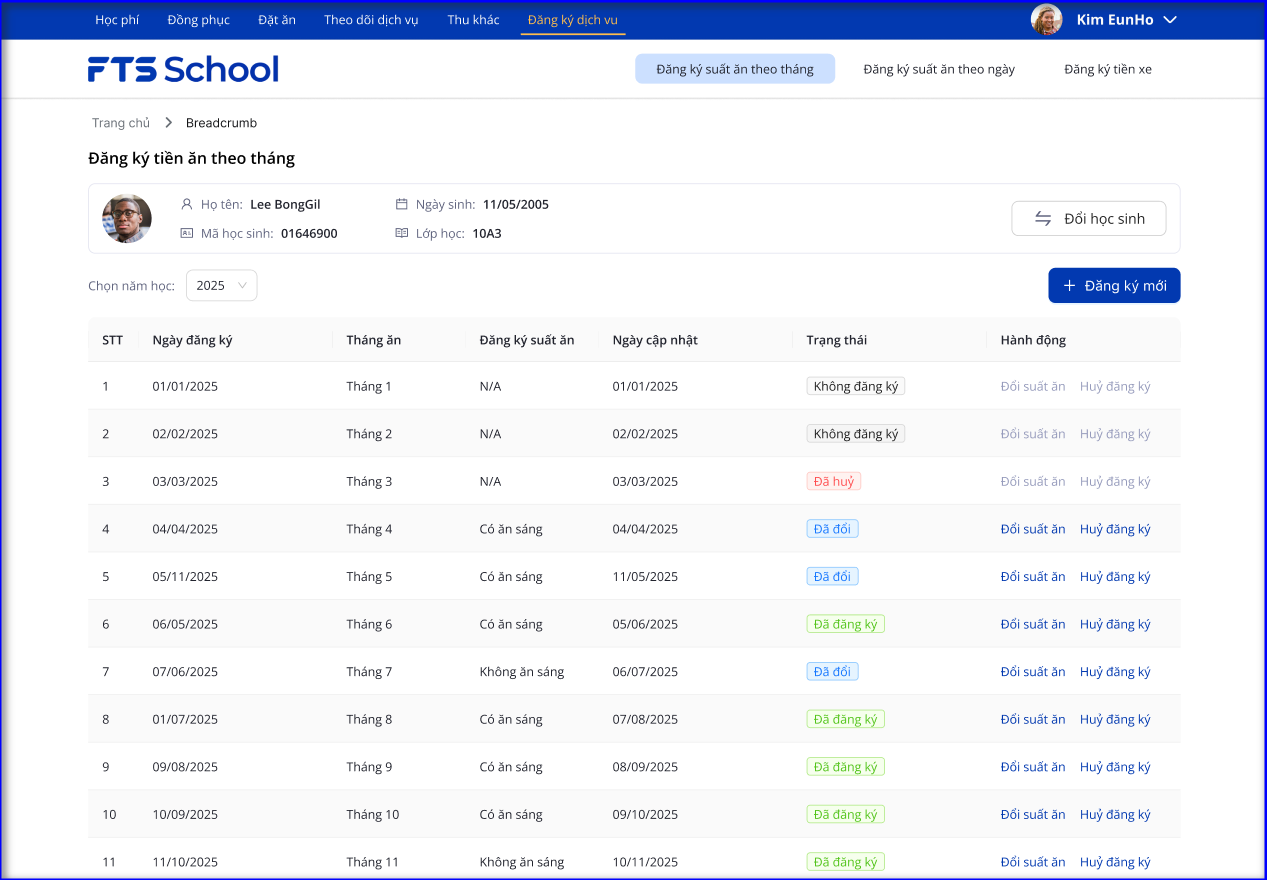
Model 1: Meal Service by Portion – Students register monthly meals / register additional meals by day
- Parents use the Meal Registration Portal to perform the following actions:
- Register meals / non-meals for the whole month according to meal options (With breakfast / Without breakfast).
- Cancel registrations for upcoming months.
- Register additional meals by day.
- Submit daily meal cancellation requests.
- Based on the registration data, the system automatically assigns the meal fee codes to the tuition registration in order to generate meal fee notifications and process fee collection.
Model 2: Dish-based Cafeteria – Students/Teachers select individual dishes for each meal/day
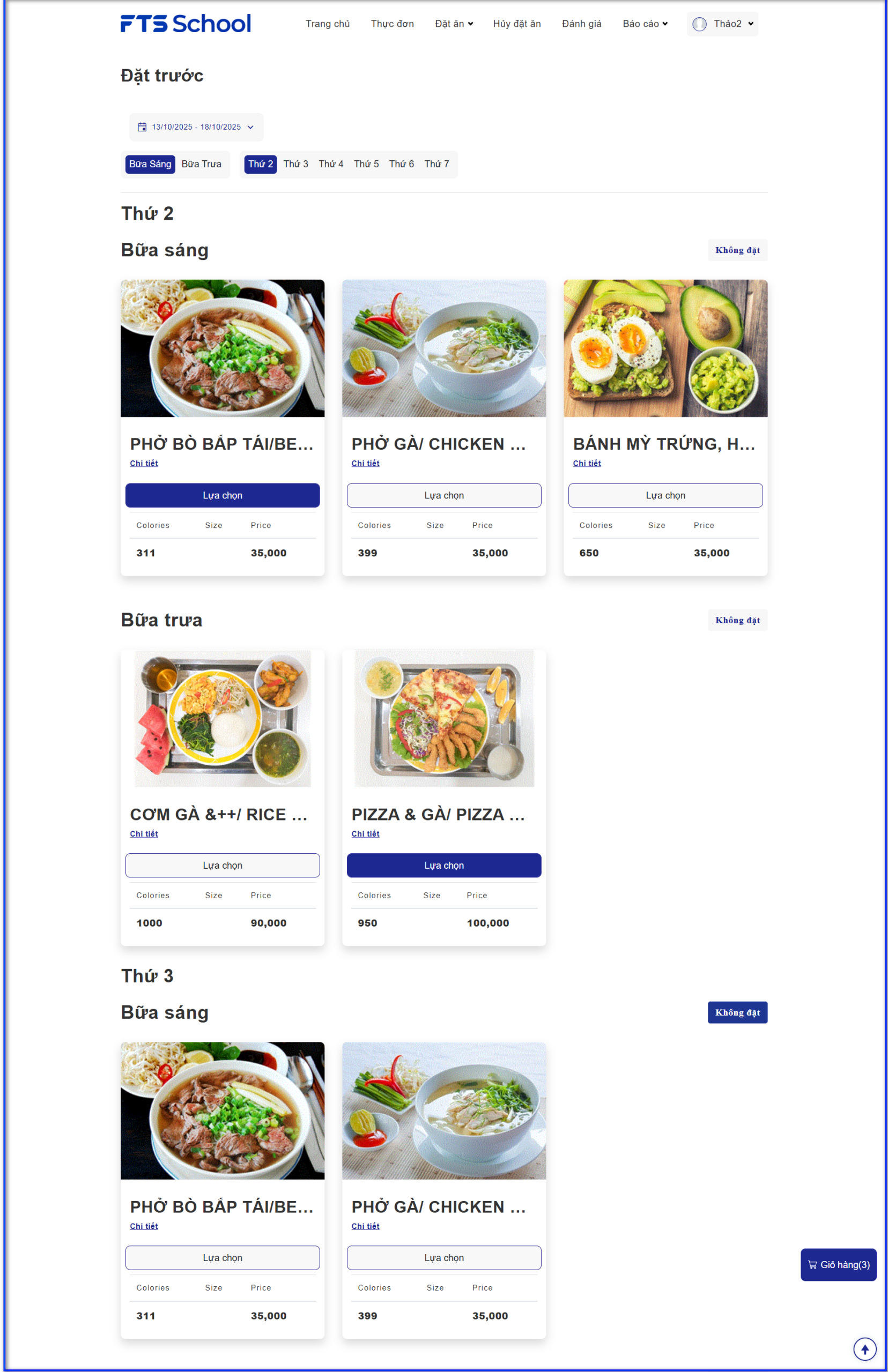
Option 1: Online meal ordering via WebApp for students, parents, or teachers using a phone, computer, or tablet.
- View menu
- Pre-order meals for the following week by meal and by day
- Cancel meals for upcoming days
- View real-time meal fee reports
- Rate meals
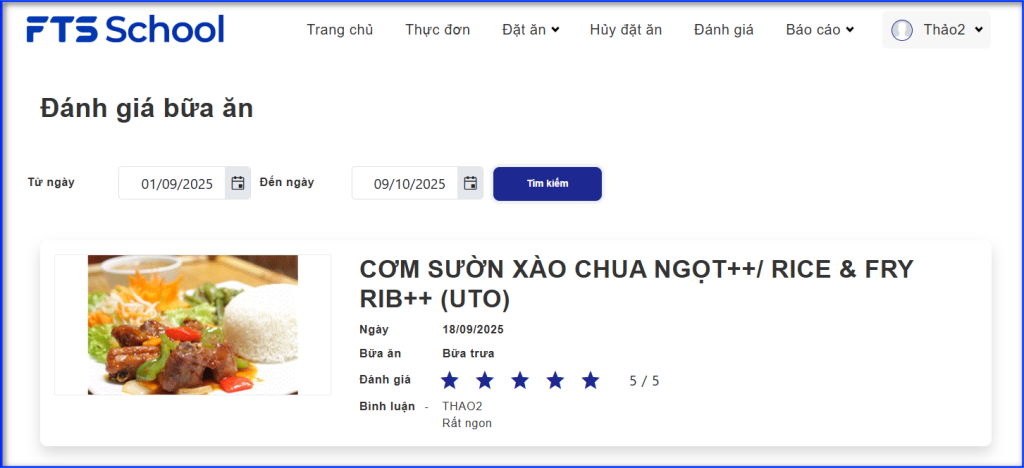
Option 2: On-site meal ordering at POS terminals within the school
- View menu
- Pre-order meals for the following week

3. Automatic Ingredient Requirement and Meal Cost Calculation
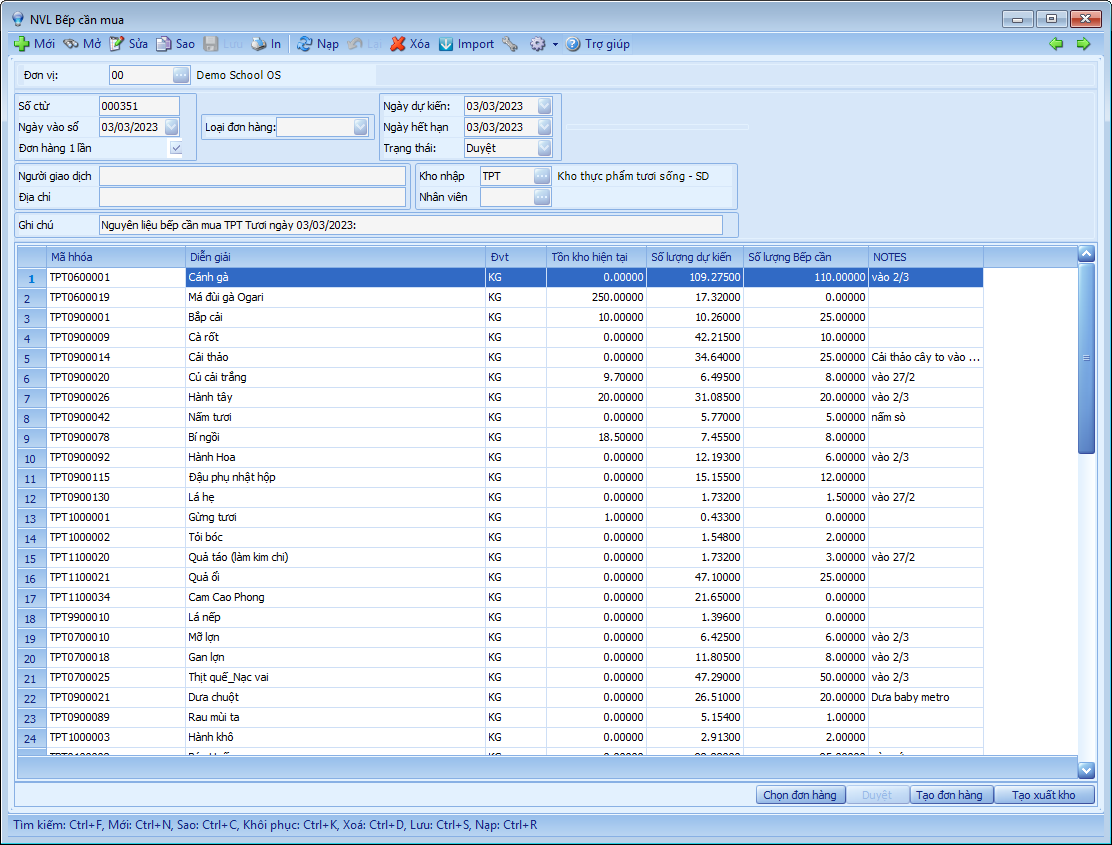
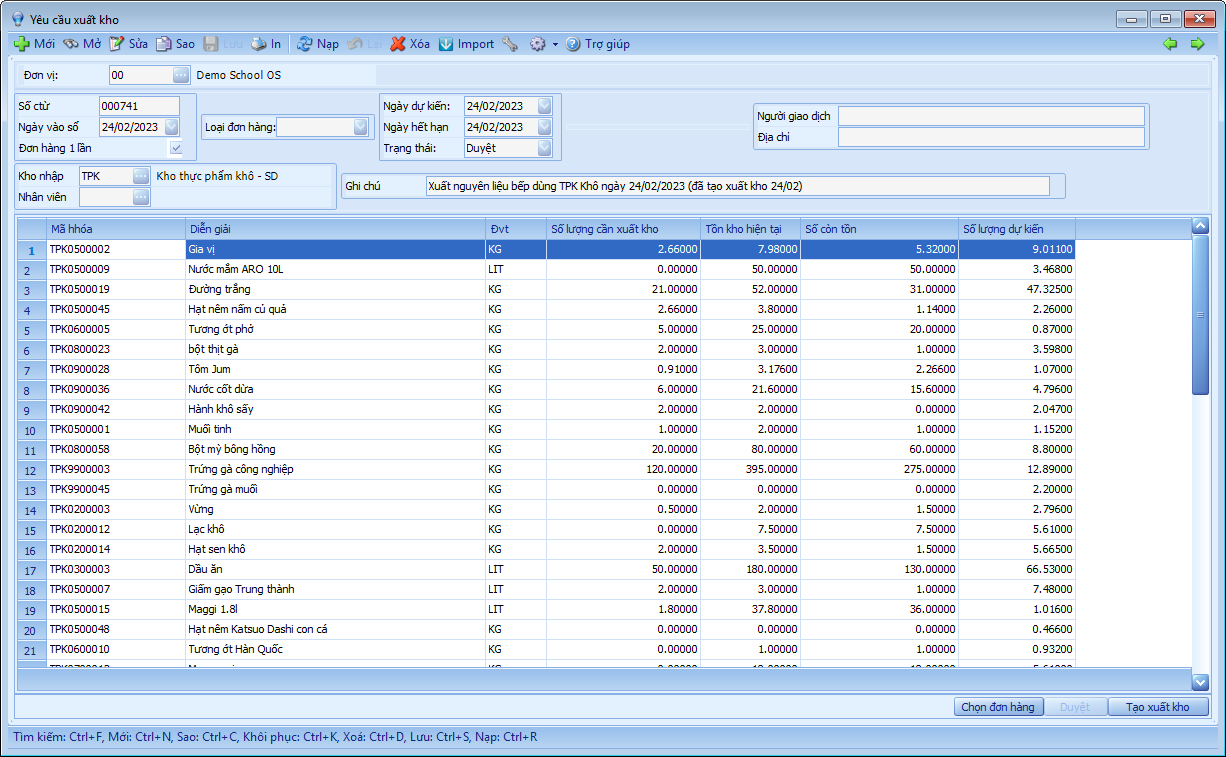
- Based on the number of students registered and the ingredient standards per dish, the system automatically calculates total required ingredients.
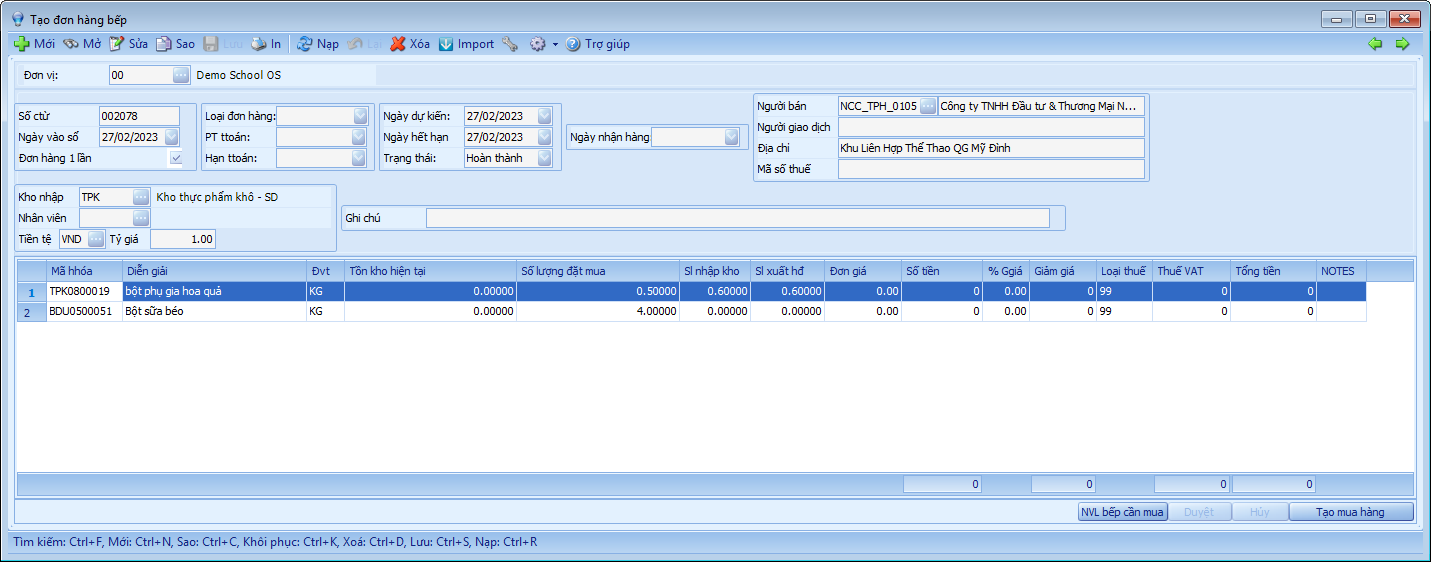
- Generate material purchasing plans to prevent shortage or waste.
- Accurately compute the cost per meal, including ingredients, labor, and operating expenses—helping schools effectively control financial performance.
4. Meal Check-in
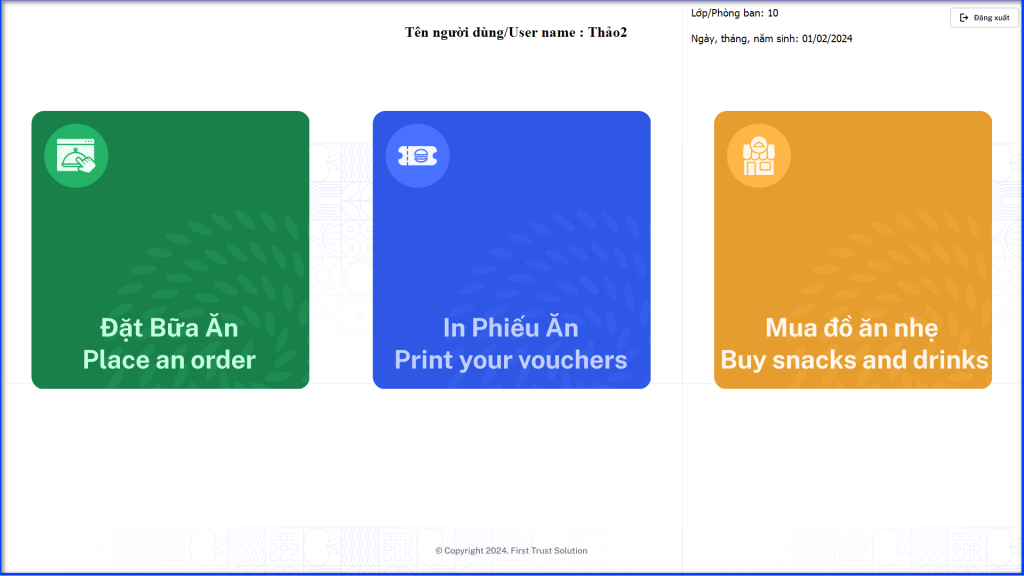
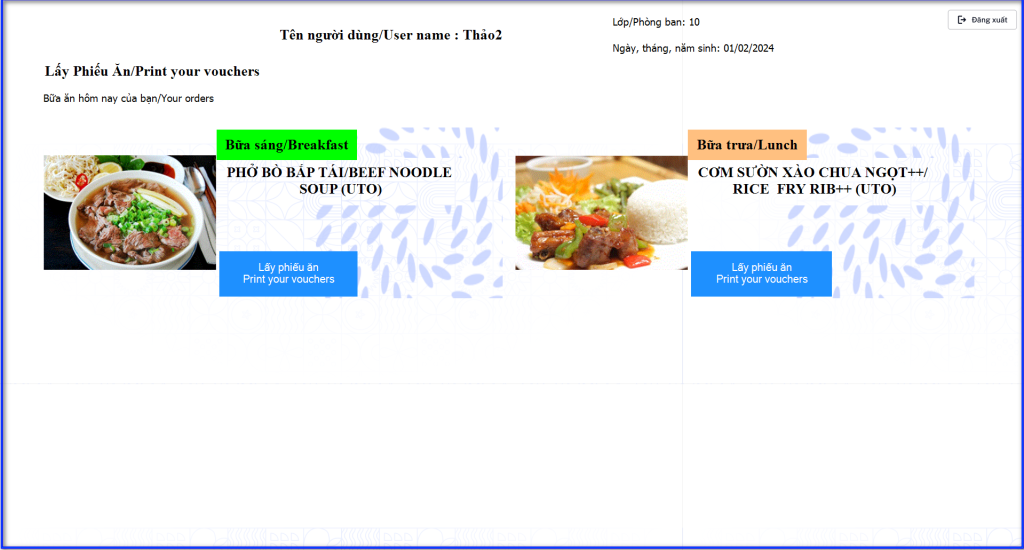
Model 1: Self check-in via device and meal ticket printing
- Students/teachers check in using cards, fingerprints, or facial recognition (Face ID).
- Accurately record each consumed meal—no duplication or fraud.
- Automatically print a meal ticket right after check-in, allowing the kitchen to issue the correct meal to each person.
- After printing, the software automatically generates a sales voucher in the accounting system and records actual meal receivables.
- This reduces manual workload for teachers and kitchen staff while improving operational accuracy.

Model 2: Web-based Meal Attendance for Teachers
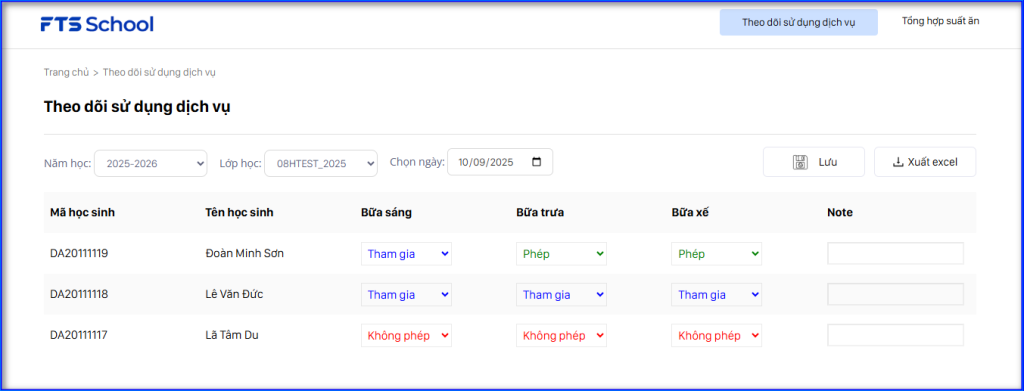
- Teachers use the Meal Attendance WebApp to check in students from their class.
- The system automatically displays the attendance sheet based on pre-registered data; teachers only adjust for changes (absences, new registrations, etc.).
- The system consolidates meal attendance data monthly.
- Accurately calculates each student’s actual meal fee based on attendance days.
5. Meal Cost Calculation and Automatic Notifications
- The software automatically calculates meal charges based on actual attendance data.
- The data is compiled into the Meal Reconciliation Report, ensuring transparency and saving time for school administrators.
- Automatic meal fee notification emails are sent to parents.